To maintain the credibility and engagement of your website, it is important to constantly update your site’s content. Scheduling updates in published blogs can save lots of time and make updating site content easier. With SchedulePress, you can have an exclusive feature named “Advanced Schedule” for Elementor that enables you to easily schedule updates in published blogs straight from your Elementor Editor.
Updating Content on Website: Why Is It Important?
Keeping site content updated is necessary for websites. It helps to provide a valuable user experience and also maintains its relevance and credibility over time. Let us have a look below to see some of the main reasons why content updates are essential.
Keep Your Website Fresh And Up-to-Date
Updating your website’s content regularly keeps it fresh and relevant. Visitors are less likely to return to your website if the content is outdated or irrelevant. By providing timely and useful information, you can keep visitors engaged and increase the chances of them returning in the future.
Improve Search Engine Optimization (SEO)
Search engines favor websites that have fresh, relevant and high-quality content. Updating your website’s content frequently can also boost your SEO efforts. Search engines crawl your site more frequently when you publish new content or republish updated content. Additionally, search engine optimization algorithms are constantly changing. That is why updating your site’s content in accordance with the latest guidelines can help you stay competitive.
Reuse Ranked Content for Future Occasions
One of the primary benefits of updating published content is that you can reuse highly-ranked content for future occasions. Suppose you have a blog post that ranks high on search engines for a specific event or occasion, such as Black Friday or Christmas. By updating the content with new offers and proposals, you can use the same article for the upcoming year’s event.
Improve Website Rankings with Updated Content
Another reason to update published content is to improve your website’s rankings. High-quality and up-to-date content can increase traffic and improve your SEO score. Outdated content, on the other hand, can turn away visitors and decrease engagement. By regularly updating your content, you can ensure that your website remains relevant and engaging for your audience.
Enhance User Experience
Regular content updates can also enhance user experience on your website. Visitors are more likely to stay on a website that provides new and relevant information. Additionally, regular updates can encourage visitors to explore more content on your website and engage with your brand.
Establish Credibility And Authority
A website that provides informative and up-to-date content is more likely to be a credible and authoritative source of information. Regularly updating your website’s content can help establish your brand as an industry leader and build trust with your audience.
Introducing ‘Advanced Schedule’ for Elementor with SchedulePress
SchedulePress is an advanced solution to manage content scheduling that allows you to schedule, republish or unpublish content directly on your WordPress site. This WordPress scheduling plugin has a feature for the popular website builder, Elementor, called Advanced Schedule for sections.
Advanced Schedule is one of the premium features of SchedulePress PRO that gives you the opportunity to schedule an update in published blogs from within the Elementor Editor. Besides updating the blog and doc content, you can also update tags, categories, images, featured image, excerpt and anything else you want.
Guide: How to Schedule Updates in Published Blogs in Elementor?
By following the three steps below, you can easily get to know how to use the advanced schedule on WordPress to update published content with SchedulePress. Here, you will get the tutorial for using this feature with the Elementor website builder. If you want to use this feature with Gutenberg, you can follow this walkthrough guide.
Step 1: Purchase, Install And Activate SchedulePress PRO
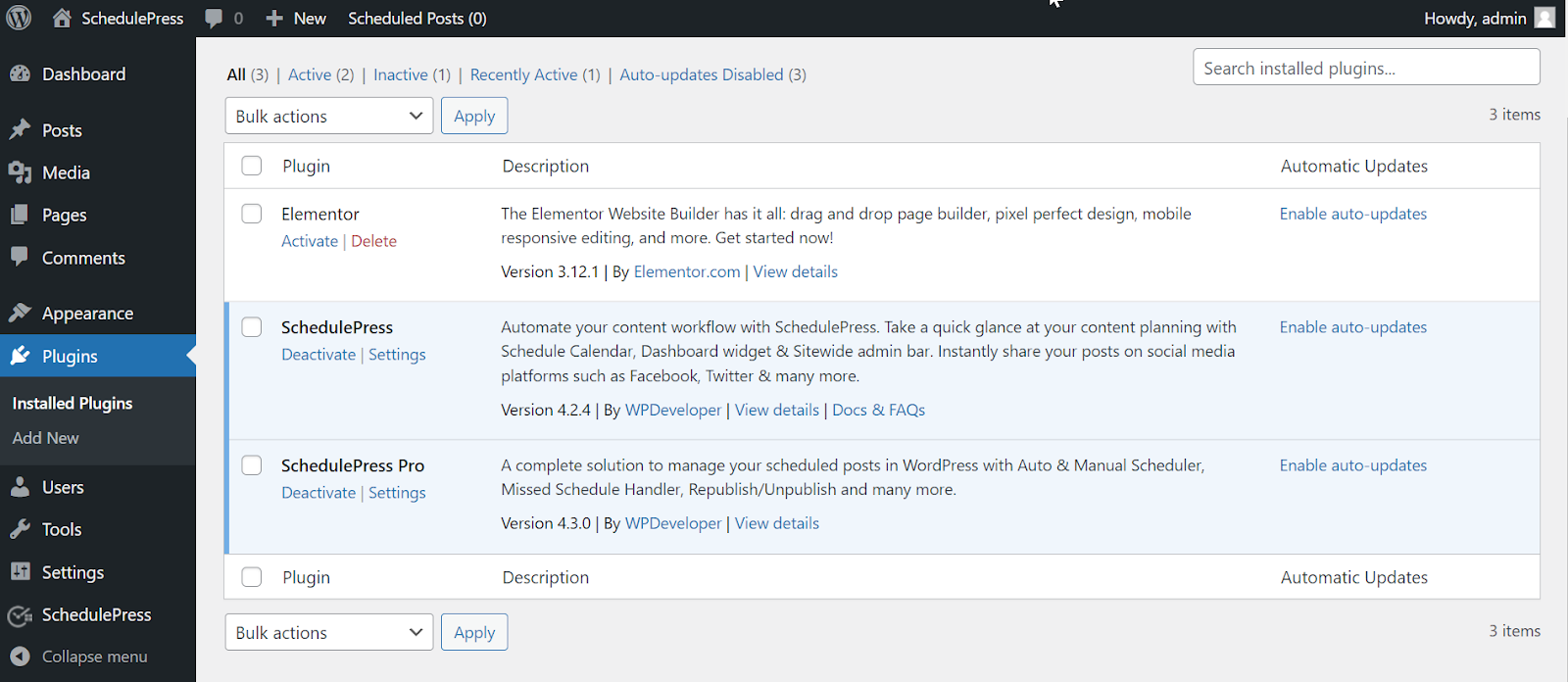
Advanced Schedule is a premium feature – so you must get SchedulePress PRO to use it. Afterward, install and activate it on your WordPress site to go further. Also, you need to install and activate Elementor to use this feature.
Step 2: Toggle on the Advanced Schedule from the Dashboard
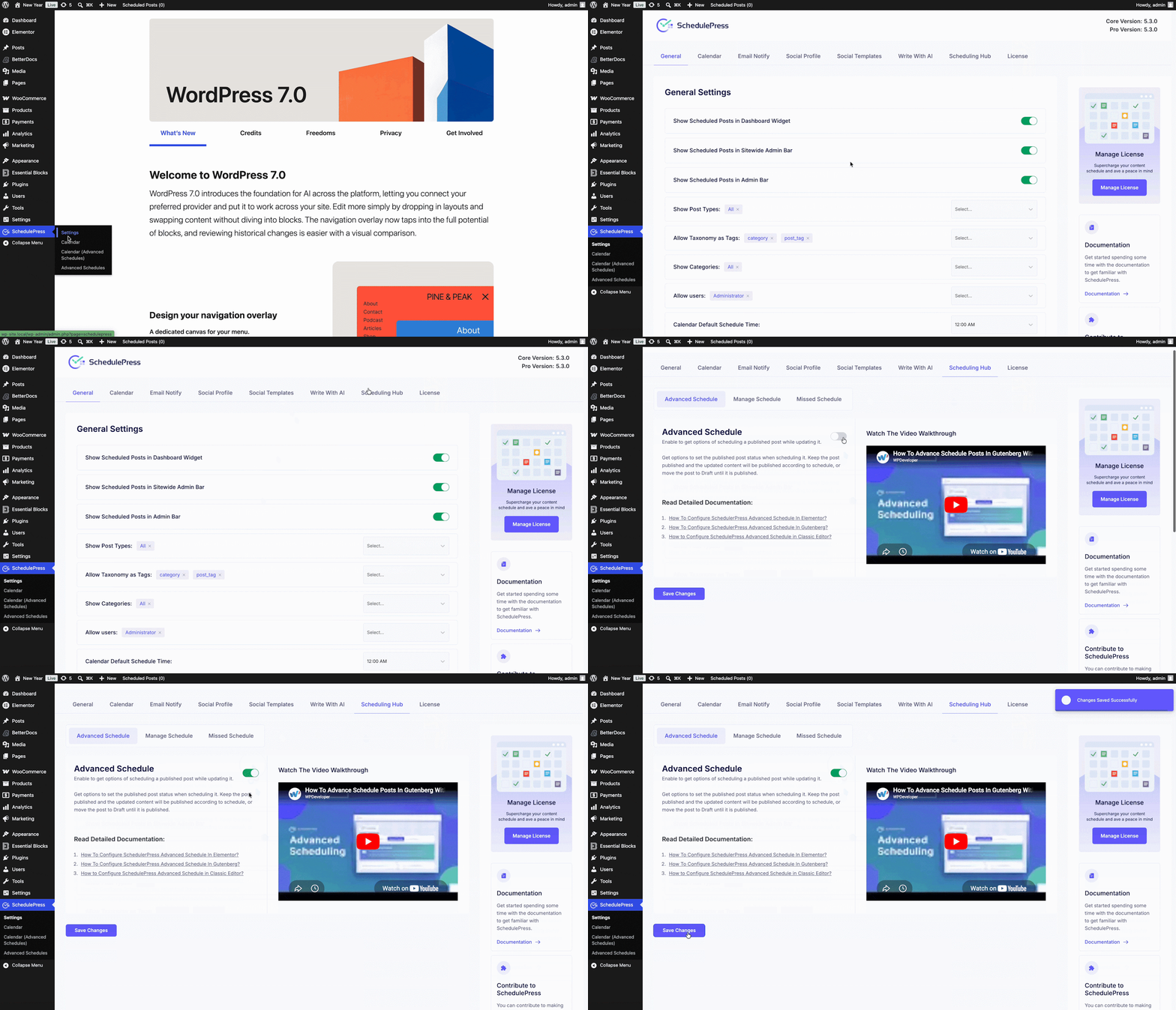
Open your WordPress dashboard. Then go to SchedulePress ‘Settings’ and select the Scheduling Hub tab. From here, open the Advanced Schedule and toggle it on to activate the feature. When you are done, make sure to click on the ‘Save Settings’ button to update your changes.
Step 3: Update Content And Select a Preferred Schedule
Open the page or post with Elementor where you want to update the content. Modify it according to your needs or add a new section as needed. Now, under the Publish button of the editor, look for SchedulePress. Tap it to open the ‘Schedule And Share’ board.
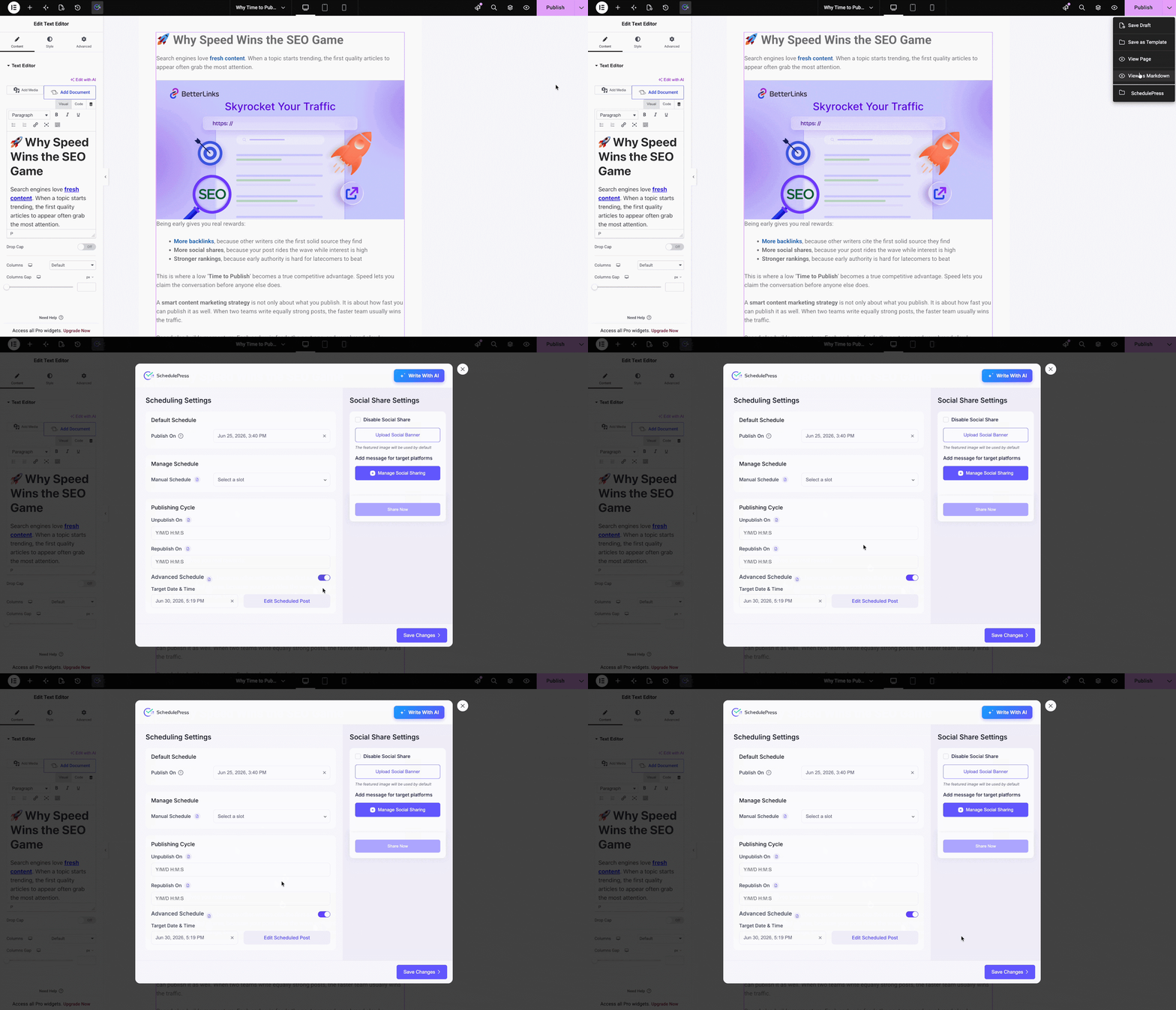
Now, toggle ‘Advanced Schedule’ on and select the publish date and time. You can also click on the ‘Edit Scheduled Post’ as necessary and make changes from here. Once done, hit the Save Changes button.
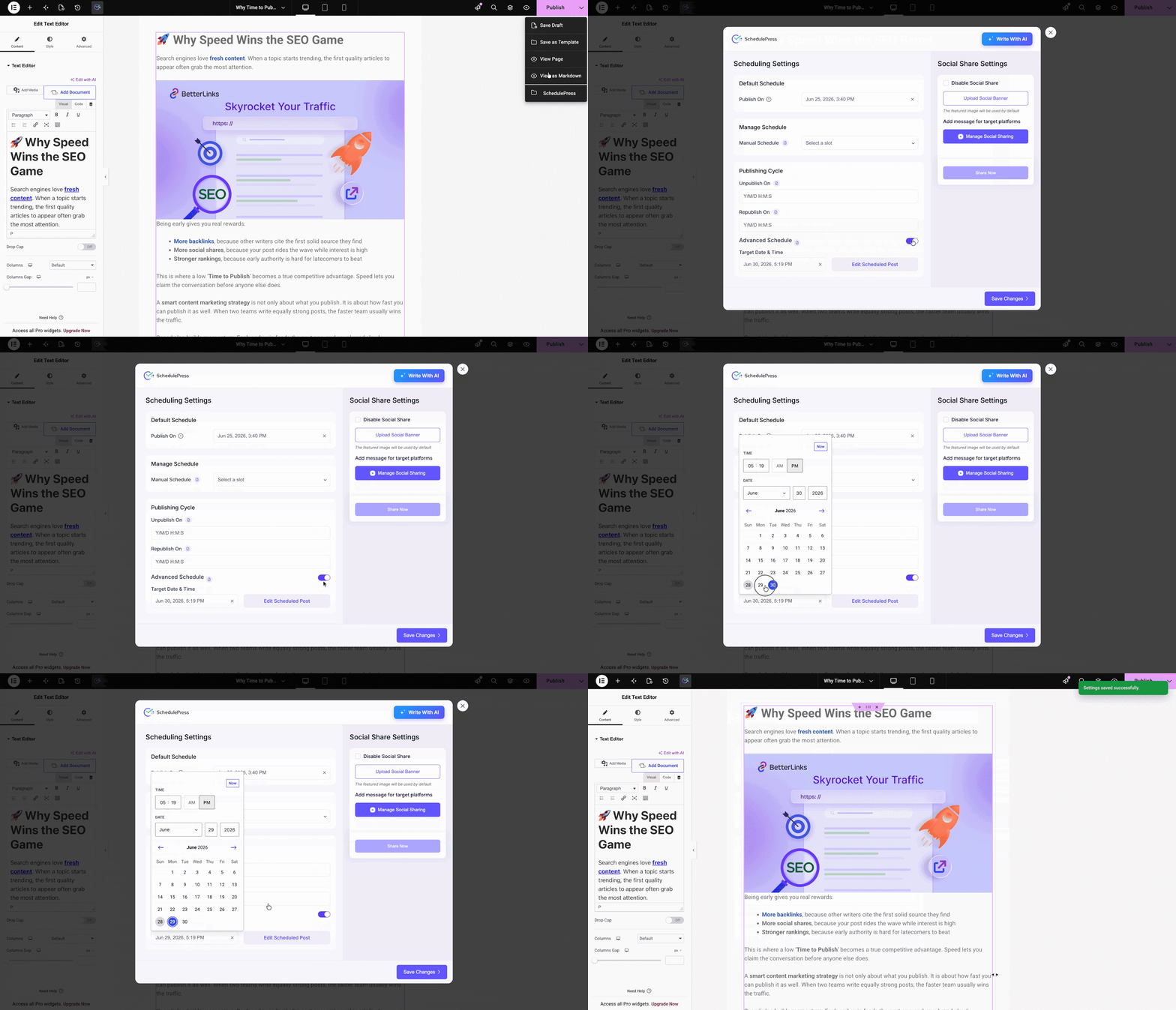
After scheduling a post, you can change the scheduling date or even update the post as needed. From your WordPress dashboard, navigate to ‘SchedulePress → Advanced Schedules’. You will see your advanced scheduled post here. Open or edit it as necessary, select another date if needed and click on ‘Schedule On’ or the update button.
After modifying, the published content with updated text and image will appear like this. Below the GIF is the updated one. Have a look.
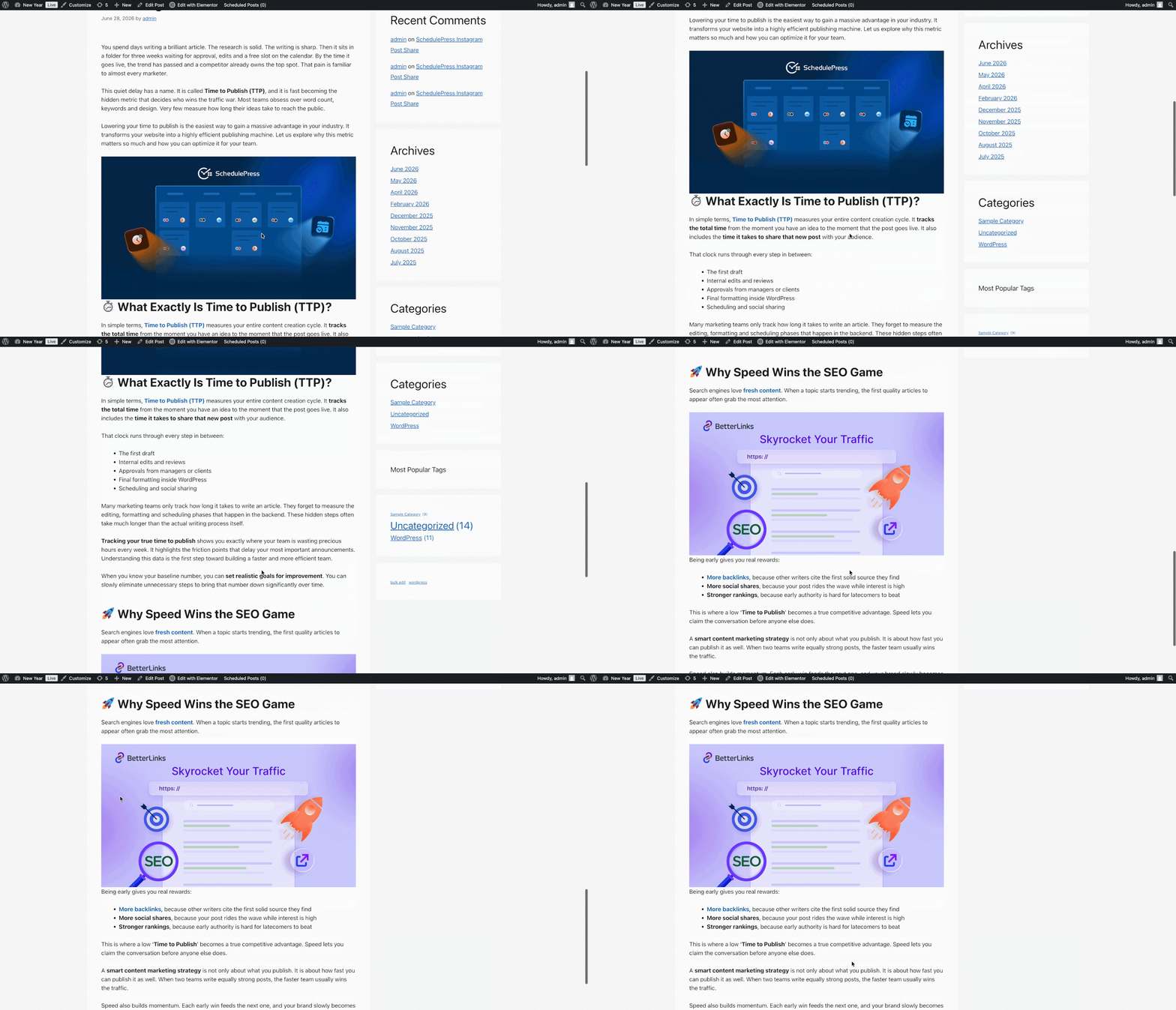
This is how you can schedule an update for a published blog post or page on the WordPress site with the help of SchedulePress. It will definitely help you to manage your content planning more efficiently.
Does Your Website Content Need to Be Revised?
SchedulePress makes it easy for you to revise your website posts and pages, allowing you to bring improvements to your existing content easily. With this feature, you can schedule updates to your published content with ease and efficiency. By using this scheduling tool, you can streamline your content management process and ensure that your website stays relevant and up-to-date for your visitors.
If you want to get more of these kinds of detailed blogs for new features, tutorials and guidelines, then subscribe to our blog. Also, let us know your experience with SchedulePress by sharing through comments or by joining our Facebook community.