Hitting that publish button should be the best part of your day, but jumping between tabs to schedule posts and share social updates usually ruins the fun. If you want to seamlessly manage WordPress publishing workflow, you need a centralized hub that eliminates scattered tasks right at the finish line.
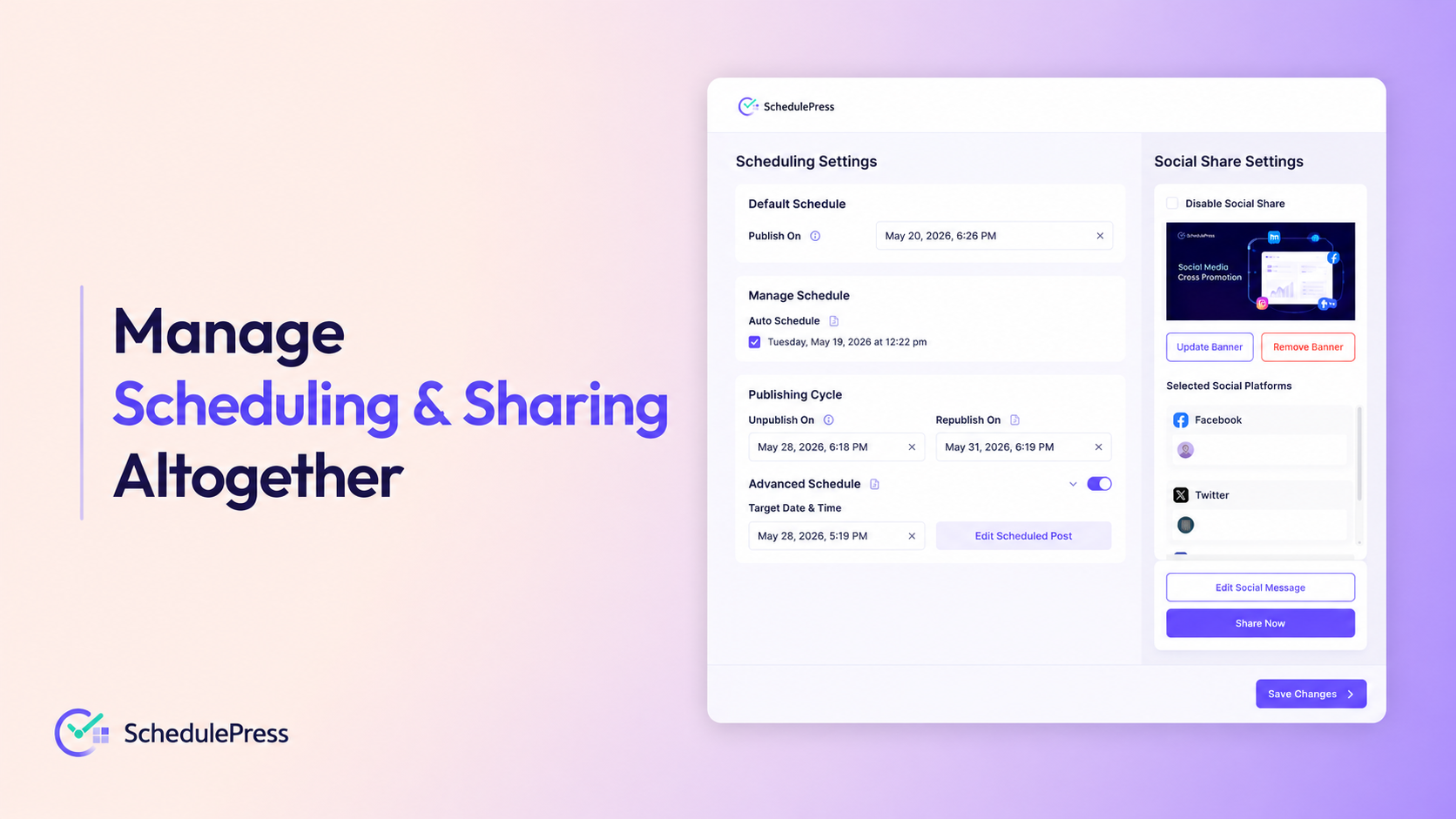
That is exactly why we built the brand new Schedule and Share Board for SchedulePress. It completely upgrades your WordPress editorial workflow by letting you handle publishing dates, post lifecycles and cross-promotion from one single screen inside your editor.
TL;DR: What Is New in SchedulePress?
Short on time? Here is a quick look at how the new centralized board helps you manage WordPress publishing workflow and crush your content goals:
- All-in-One Hub: Control all your scheduling and social sharing from a single, clean pop-up board.
- Smart Scheduling: Pick default times, or use pre-set manual and auto slots to stay organized.
- Publishing Cycles: Automatically hide and republish time-sensitive campaigns without manual intervention.
- Advanced Updates: Prep future edits for live posts without ever taking them offline.
- Social Sharing: Write unique captions for 7+ social platforms, including Facebook, X and LinkedIn, right from the editor.
- Smarter Systems: Experience true WordPress content automation with just a few simple clicks.
A Better Way to Manage WordPress Publishing Workflow
Site owners, marketers and creators can feel overwhelmed by their daily publishing tasks and we have talked to many like this. The pain was pretty common across the board. A messy, disconnected content management process leads to missed deadlines, frustrating errors and forgotten social media promos.
You spend hours crafting the perfect blog post or landing page. The very last thing you want is a clunky system holding back your launch. The new Schedule and Share Board fixes this by giving you the tools to efficiently manage WordPress publishing workflow in one beautifully clean interface.
You no longer have to navigate away from your page editor to get things done. Whether you use Gutenberg, Elementor or Classic editor, you get this single board across all platforms. You simply click a single button on your sidebar and your entire publishing command center opens up instantly.
Schedule And Share Board: Keep Your Content Publishing Workflow Organized
Let us break down exactly what you can do inside this new centralized hub. Every single feature is designed to save you time, reduce your click count and keep your overall strategy highly organized.
Flexible Primary Schedule Options
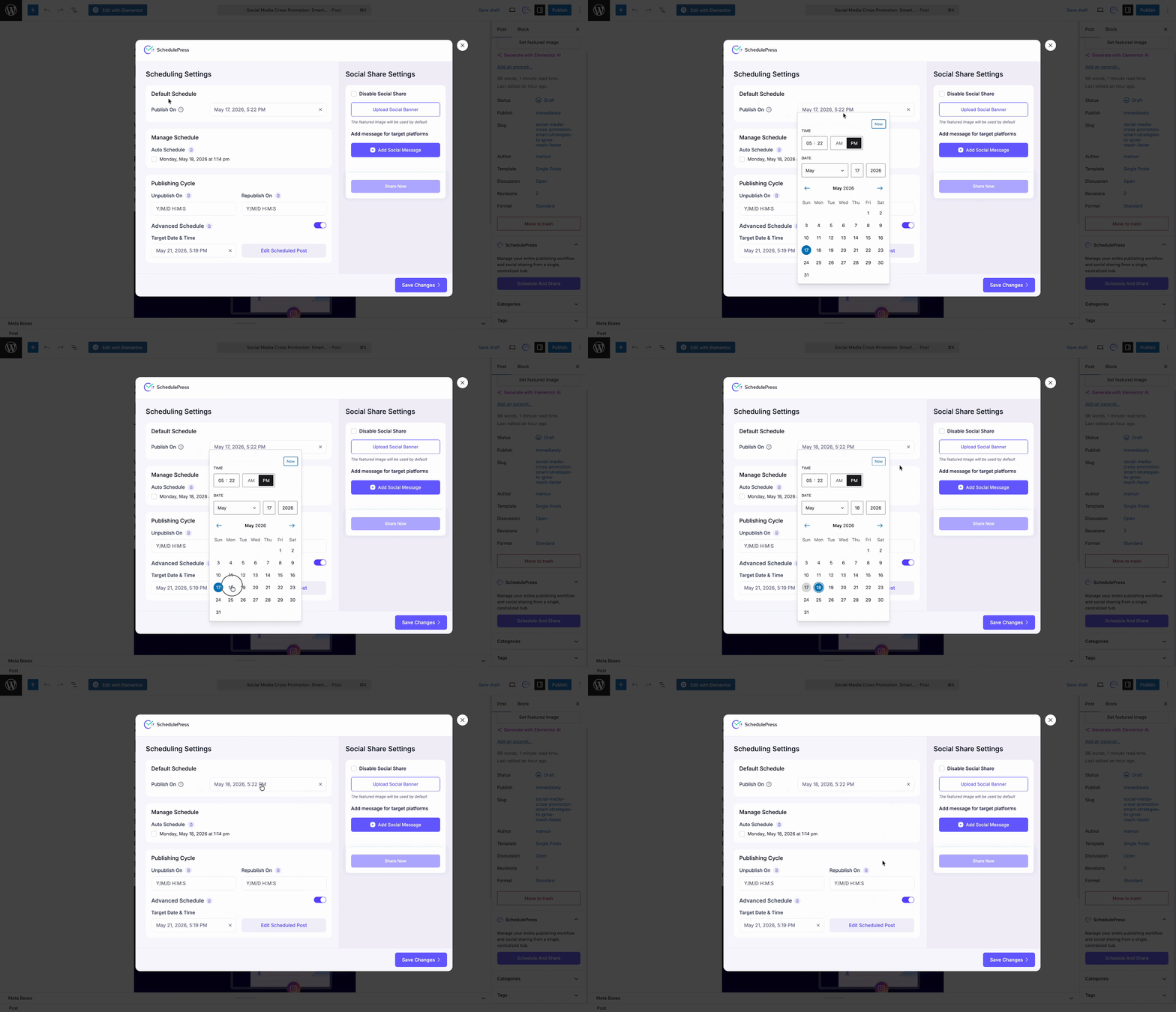
The entire left side of the board is dedicated to your publishing timeline. Under the ‘Default Schedule’ section, you can simply pick the exact date and time you want your content to go live. Finding a simple way to manage WordPress publishing workflow starts with a reliable calendar picker like this.
But we wanted to give you more power than just a basic tool. If you have enabled the Manage Schedule rules in your global plugin settings, you unlock two much smarter options here.
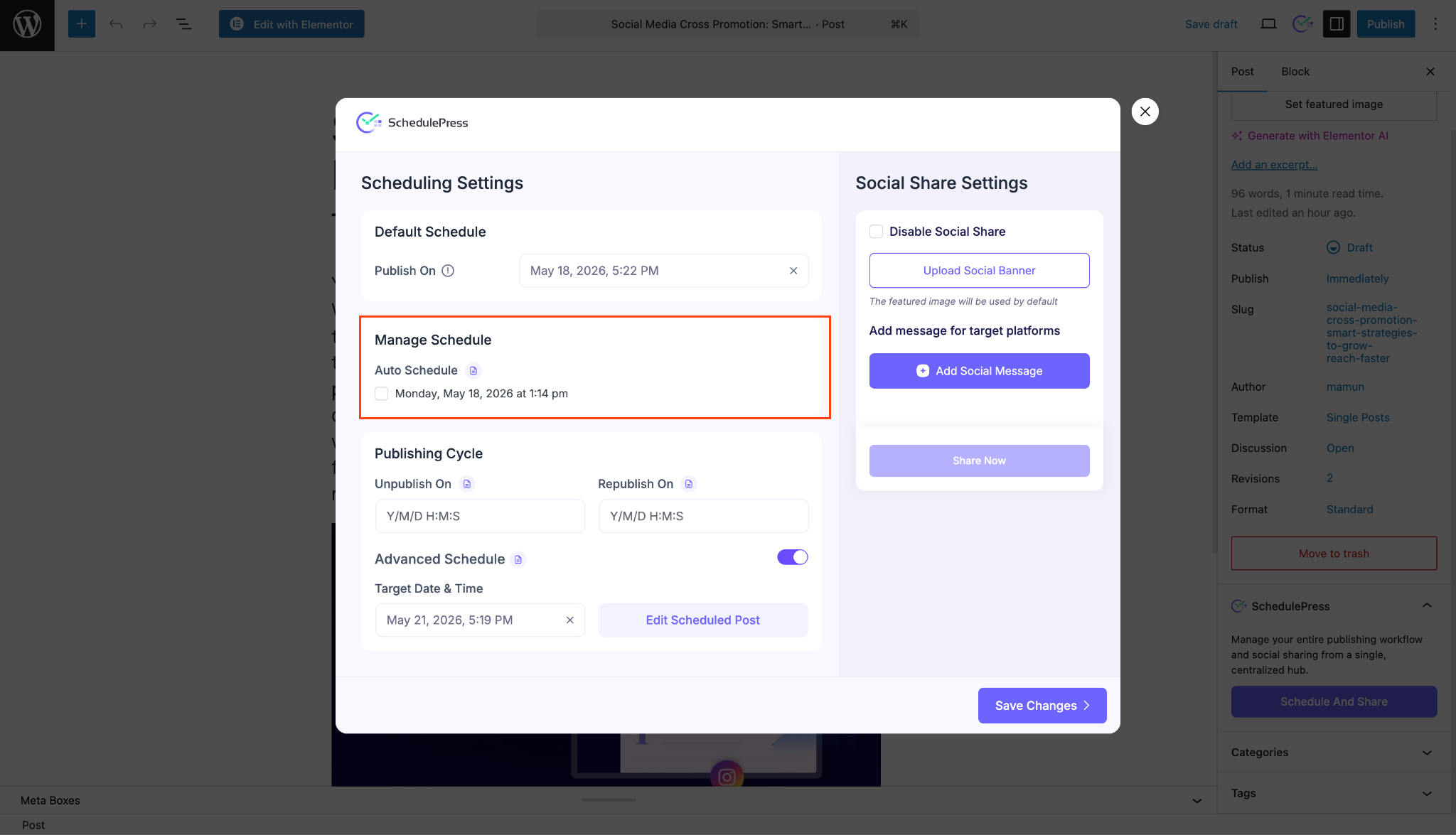
First, you can choose Auto Schedule. This clever system automatically slots your new post into the next available pre-configured publishing time on your WordPress content calendar. Alternatively, you can use the Manual Schedule dropdown to pick a specific pre-set time slot that fits your team’s strategy perfectly.
Set Up Your Publishing Cycle
Not all content is meant to live on your website forever. Think about seasonal flash sales, holiday promotions or limited-time contest announcements. Remembering to take these pages down manually when the event ends is a massive headache.
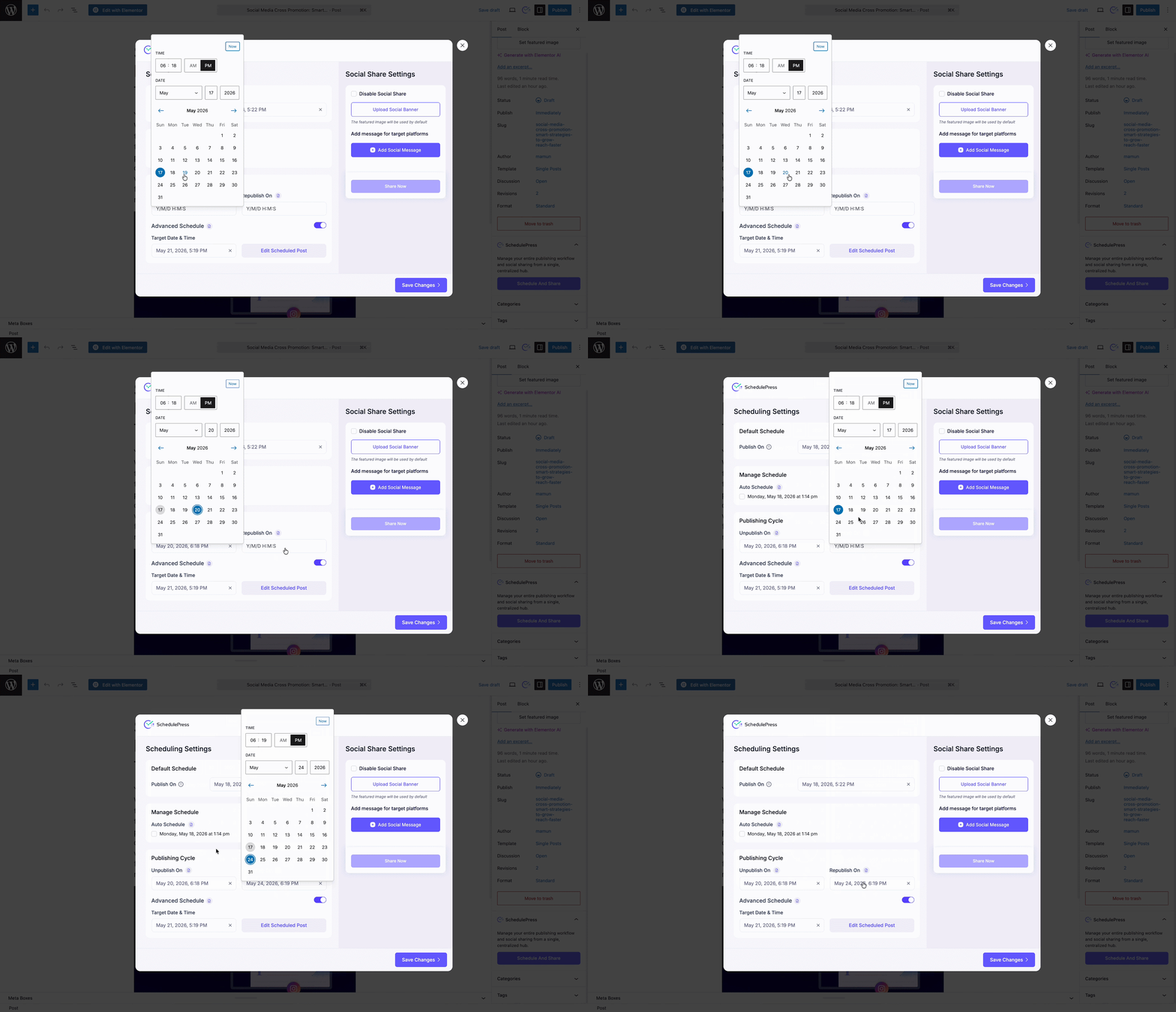
The Publishing Cycle section handles this entirely for you. It brings powerful, reliable WordPress content automation directly to your active posts.
You simply set an “Unpublish On” date on the board. The system will automatically hide the post and revert it to a draft when the exact time comes. This automated approach makes it much easier to manage WordPress publishing workflow during busy promotional seasons.
If it is a recurring event, you can even set a “Republish On” date to bring the content back to life automatically next season.
Advanced Schedule for Live Posts
This might be the most exciting addition for anyone handling a busy, high-traffic site. Keeping older content fresh is absolutely crucial for SEO, but editing a live post can be super risky. You usually have to save it as a draft to edit it safely, which takes it completely offline or make live edits while people are actively trying to read it.
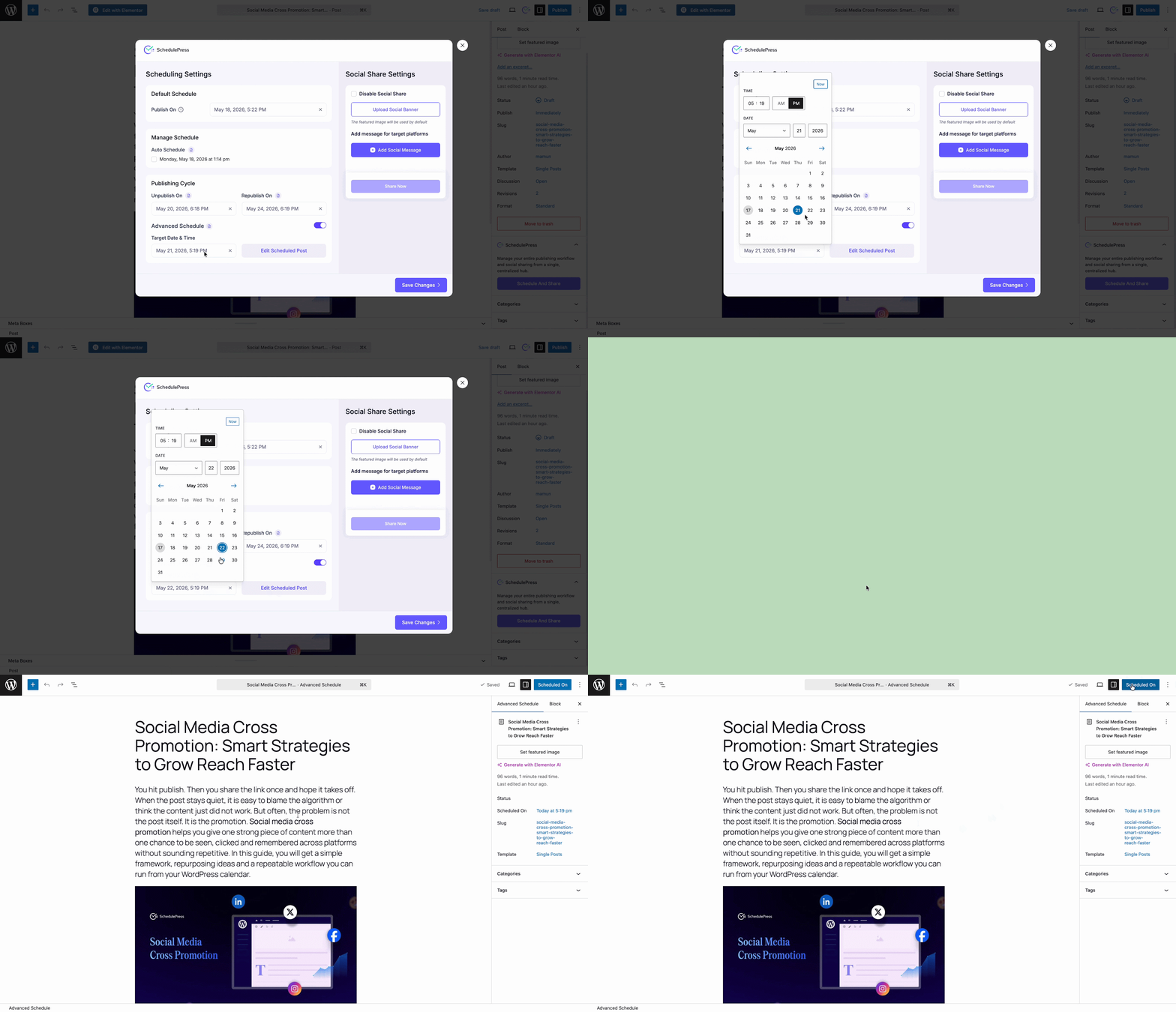
The Advanced Schedule feature completely reinvents your content update workflow. When you toggle this option on inside the board, it automatically creates a secure, cloned draft version of your live post. This lets you securely manage WordPress publishing workflow without ever risking your active traffic.
You can safely make all your changes, update images and rewrite text on this hidden clone. Then, you set a target date. Once that exact date arrives, the new content will seamlessly replace the old content on your live site. It is the safest, most stress-free content update workflow available today.
Seamless Social Share Settings
Publishing a great post is really only half the battle. You also need to get it in front of your audience as quickly as possible. The right side of the board houses all your Social Share Settings to make promotion effortless.
From here, you can upload a custom Social Banner specifically designed for your social feeds. If you leave it blank, the system is smart enough to just use your default featured image.
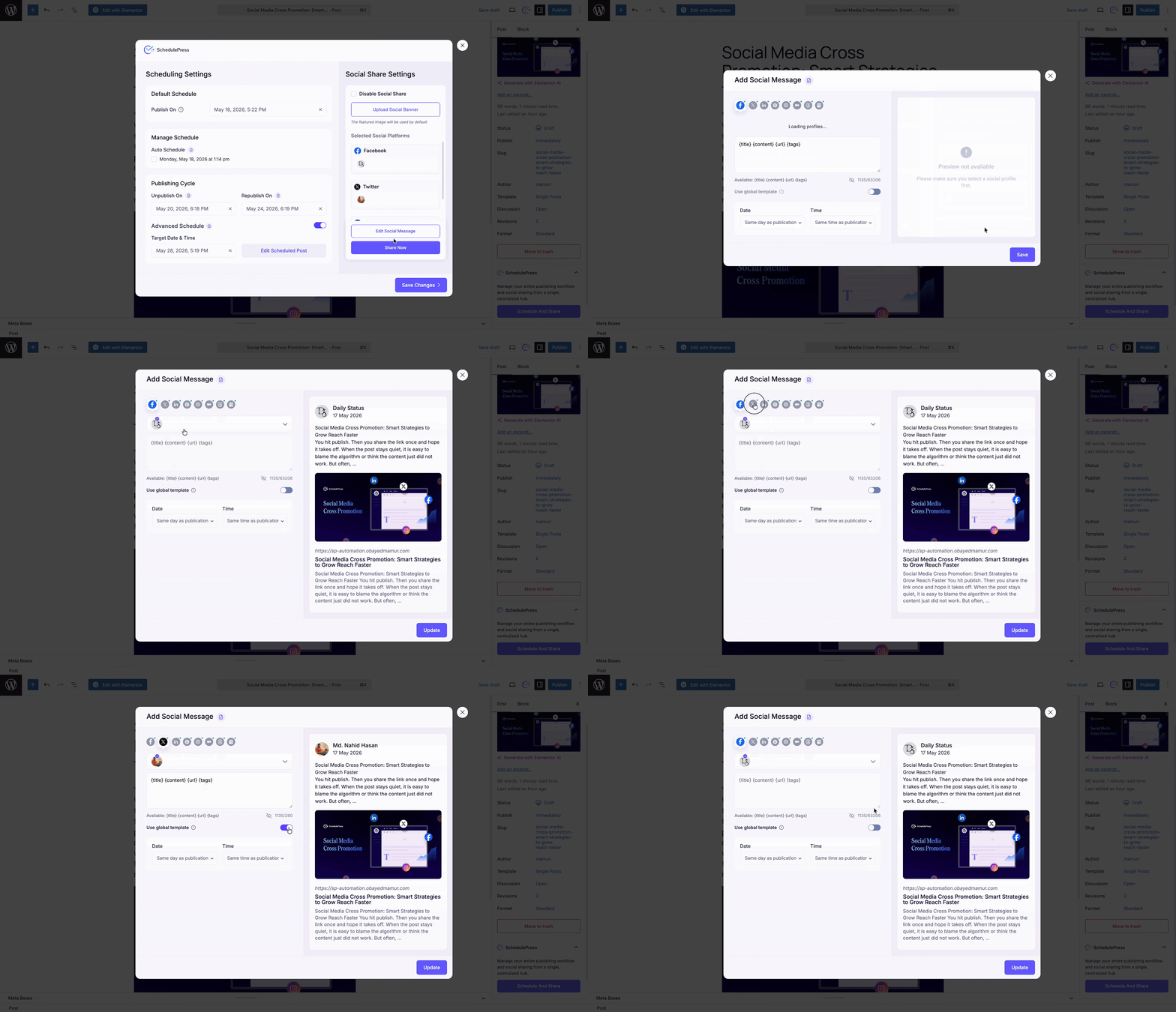
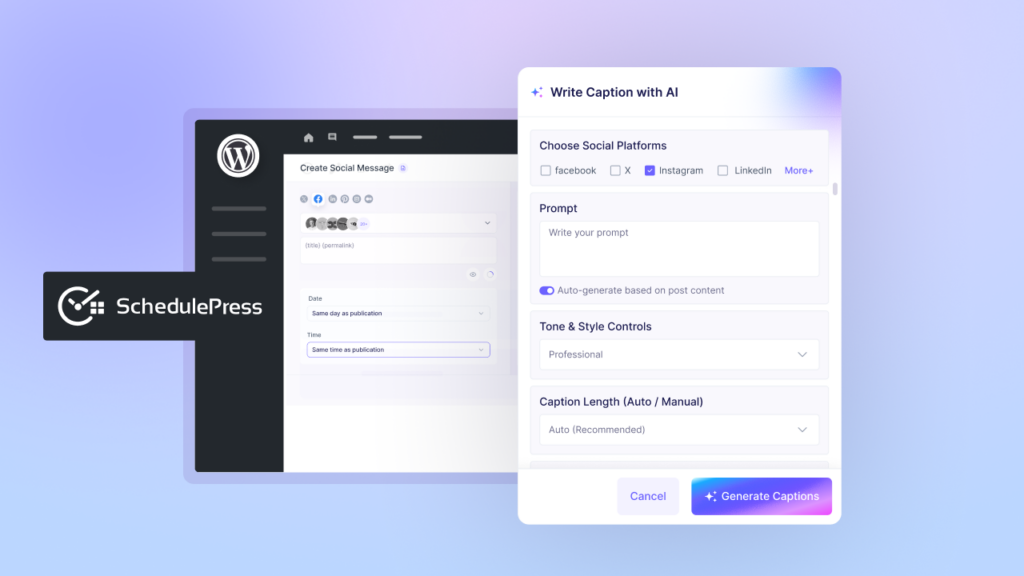
You can then click a button to add custom text messages for 7+ social platforms like Facebook, X and LinkedIn. Write a unique, tailored caption for each specific platform, or set one message as a global template to save time. It heavily streamlines your WordPress editorial workflow because you can manage WordPress publishing workflow and social promotion while the topic is still fresh in your mind.
Why You Need to Upgrade Your Content Management Process
Upgrading to this centralized board means fewer missed steps and way less anxiety. You will not publish a post and then suddenly realize you forgot to share it on LinkedIn three hours later. You can now visually manage WordPress publishing workflow from launch to promotion to eventual unpublishing, before you even hit the save button.
Having a highly visual, reliably organized WordPress content calendar is essential for consistent growth. The Schedule and Share Board feeds directly into your broader site calendar. This ensures you and your team always know exactly what is going live and when. It is all about giving you total peace of mind.
You also gain the massive, time-saving benefit of true WordPress content automation. Letting our system handle the tedious unpublishing of expired discount offers or the swapping of updated blog drafts frees up your schedule. You get to spend less time clicking buttons and more time focusing on actual high-level strategy.
Frequently Asked Questions (FAQs)
We know that changing up your daily routine can bring up a few questions. Here are some of the most common things people ask about adopting the new centralized hub.
Q: Does the Schedule and Share Board work with Elementor?
Q: Where can I view everything I have scheduled?
Q: Will the Advanced Schedule accidentally unpublish my current post?
Q: Do I absolutely have to use the social sharing features?
Take Control of Your Content Publishing Strategy Today
Managing a website is hard enough work on its own, but the tools you use should genuinely make it easier. By bringing everything into one clear, easy-to-use interface, we are taking the friction completely out of content creation.
You no longer have to rely on a dozen different tabs, browser extensions or sticky-note memory tricks to get your campaigns launched properly. Everything you need to successfully manage WordPress publishing workflow is finally right here in one place.
Update to the latest version of SchedulePress today. Just open up a post, look at your sidebar and click that new ‘Schedule And Share’ button. We are confident you are going to love the new centralized experience!
If you want more tips and tutorials like this, be sure to subscribe to our blog and join our friendly Facebook Community to stay updated with the latest WordPress trends and social media marketing insights.