Video has become one of the most effective content formats on LinkedIn. Whether you are a creator, a marketer or a business owner, knowing how to post a video to LinkedIn properly can significantly improve reach, engagement and profile authority. LinkedIn users consistently interact more with native video content than text-only posts, making video a powerful growth tool.
In this guide, we will walk you through how to post a video to LinkedIn step by step. You will learn the best video formats, optimal settings, common mistakes to avoid and how automation tools like SchedulePress can help you stay consistent without manual effort. If your goal is visibility, engagement and professional growth, this guide is for you.
Why Video Content Performs So Well on LinkedIn
LinkedIn is no longer just a text-based professional network. Over the last few years, it has evolved into a content-driven platform where video plays a major role. Understanding this shift helps explain why learning how to post a video to LinkedIn correctly matters so much.
Video content allows you to communicate ideas faster, build trust more effectively and keep users engaged longer. LinkedIn’s algorithm favors native video, which means videos uploaded directly to the platform often receive higher organic reach than external links. This makes LinkedIn video marketing an essential strategy rather than an optional one.
Different Ways to Post a Video to LinkedIn
Before learning how to post a video to LinkedIn, it is important to understand the available posting methods. LinkedIn supports multiple video publishing options, each designed for different content goals.
Native Video Upload on LinkedIn Feed
Native video uploads are the most common and effective option. This method involves uploading a video file directly from your device. Native videos autoplay in the feed, which increases visibility and engagement.
This approach is ideal for educational content, announcements, behind-the-scenes videos and brand storytelling. If you want maximum organic reach, this is the recommended method when learning how to post a video to LinkedIn.
LinkedIn Video via Post Composer
Another simple way to post video content is through the LinkedIn post composer. You can write a caption, add hashtags and upload your video in one place. This method supports video scheduling through third-party tools, which makes it useful for content planning.
Using the post composer ensures your video appears naturally in the LinkedIn feed rather than redirecting users elsewhere. However, those are standalone tools working outside the LinkedIn platform.
Sharing Video Links from External Platforms
LinkedIn allows you to share video links from platforms like YouTube or Vimeo. However, these posts usually receive less reach compared to native uploads. If your goal is engagement, visibility and impressions, native upload is the better choice when deciding how to post a video to LinkedIn.
How to Post a Video to LinkedIn Step by Step
Let us now break down how to post a video to LinkedIn in a clear and beginner-friendly way.
Step 1: Prepare Your Video File
Before uploading, make sure your video meets LinkedIn’s technical requirements. The recommended video format is MP4 with H.264 encoding. Keep your video resolution at least 720p for clarity and professionalism.
Video length matters as well. Short videos between 30 seconds and 2 minutes tend to perform best for engagement. Longer videos can work if they deliver strong value early.
Step 2: Open LinkedIn Post Editor
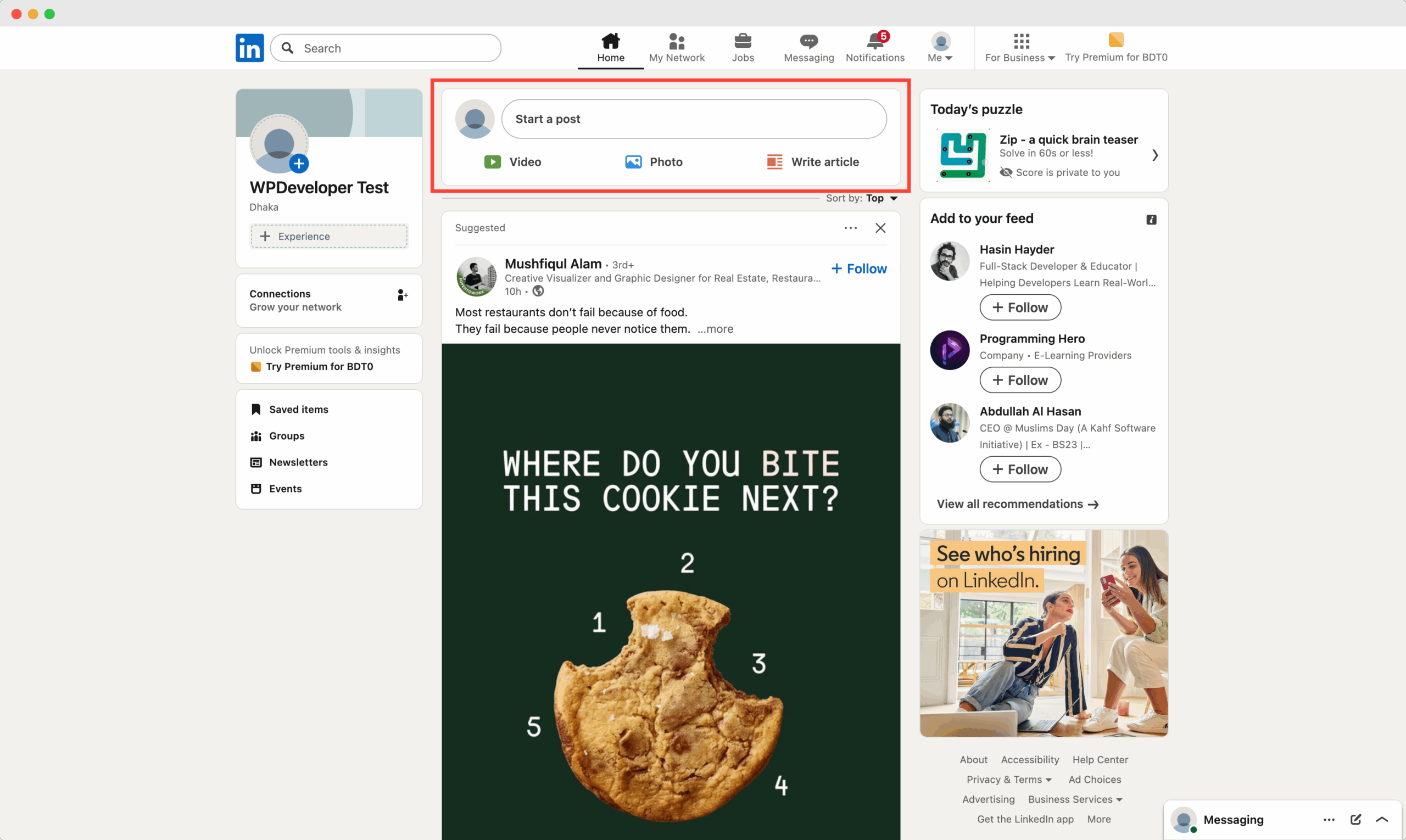
Log in to your LinkedIn account and click on “Start a post” from your feed. This opens the post editor, where you can add text, video and hashtags.
This step is essential in understanding how to post a video to LinkedIn since captions play a major role in video performance.
Step 3: Upload Your Video
Click on the video icon and select your prepared video file. LinkedIn will process the video, which may take a few seconds depending on file size.
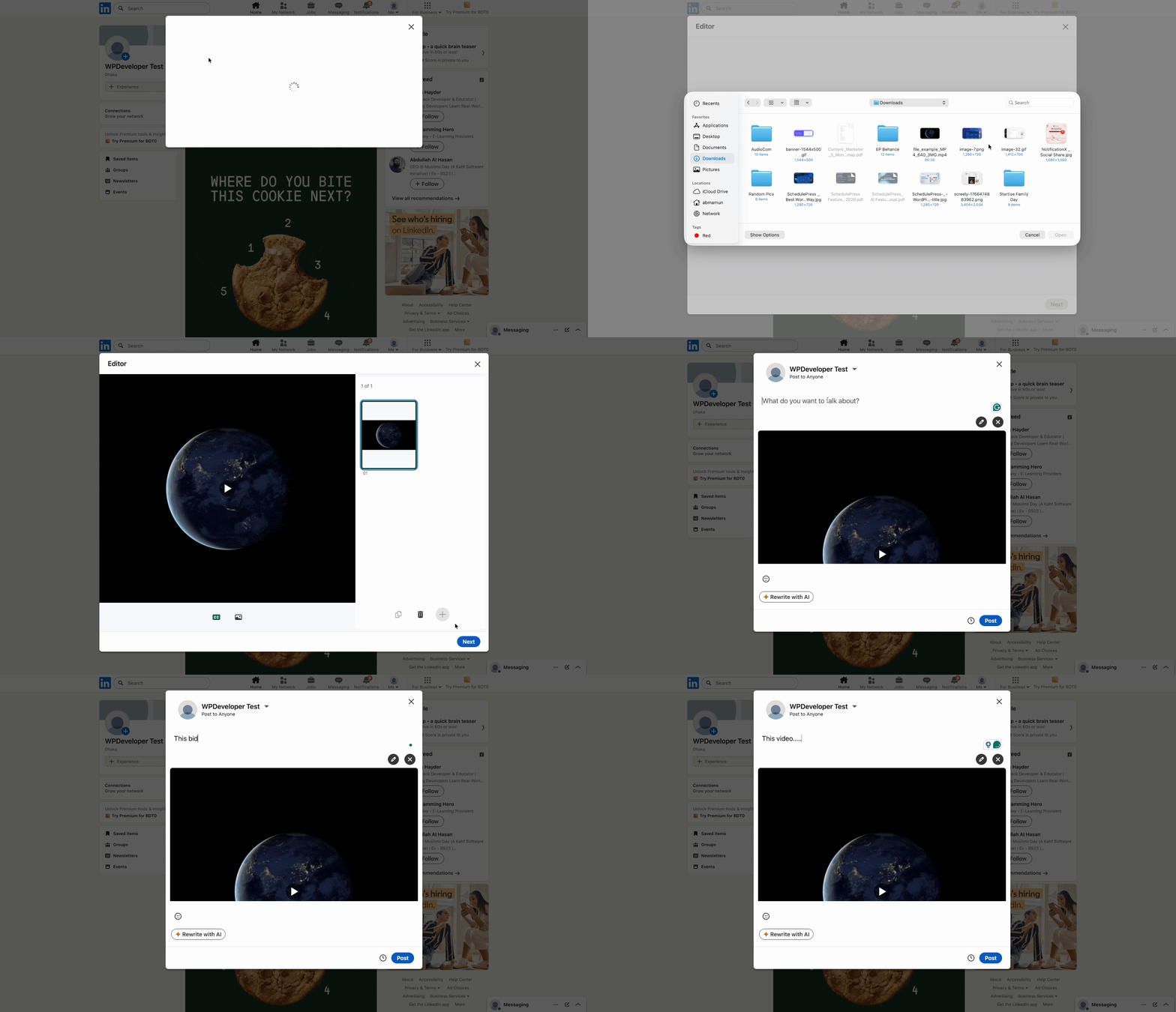
While uploading, you can continue writing your caption, which helps save time and maintain workflow efficiency.
Step 4: Write a Strong Caption
A strong caption helps hook viewers before they scroll past. Start with a clear, value-driven opening sentence. Explain what the video is about and why it matters to your audience.
Avoid long paragraphs and use line breaks to improve readability. A well-written caption increases watch time, which signals quality to the LinkedIn algorithm.
Step 5: Add Relevant Hashtags
Hashtags help your video reach the right audience. Use three to five relevant hashtags related to LinkedIn video marketing content creation and your industry niche. Avoid overusing hashtags as they can reduce readability and engagement.
Step 6: Publish or Schedule Your Video
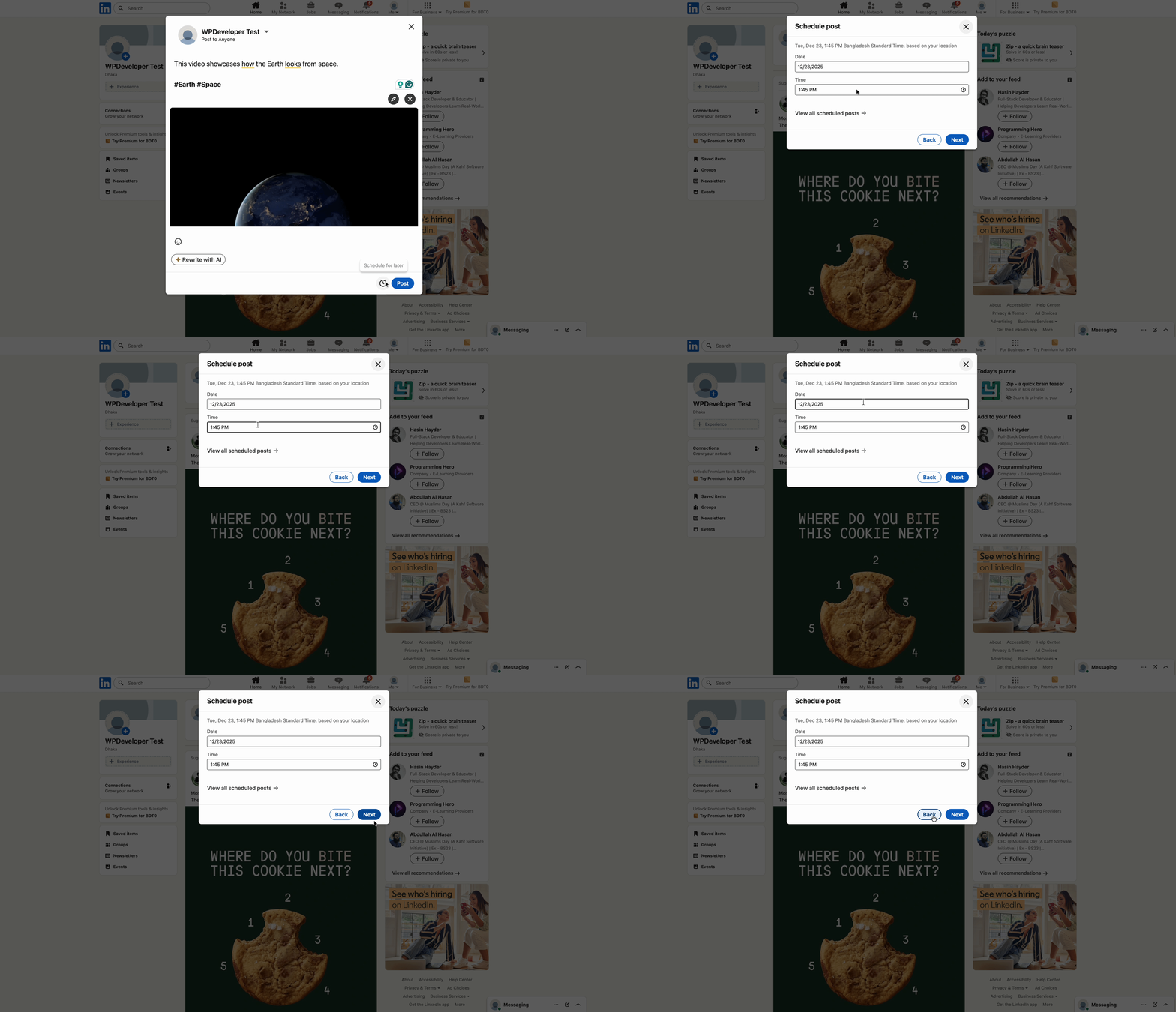
Once everything looks good, you can publish immediately or schedule it using a social media scheduling tool. Consistent posting is key to growth and scheduling helps maintain that consistency.
How to Post a Video to LinkedIn from WordPress: A Guide with SchedulePress
Manual posting can become time-consuming, especially if you publish regularly. Scheduling helps solve this problem and supports long-term content planning.
With tools like SchedulePress, you can schedule LinkedIn videos directly from your WordPress dashboard. This ensures consistency without daily manual work. Scheduling also allows you to analyze posting times and optimize performance.
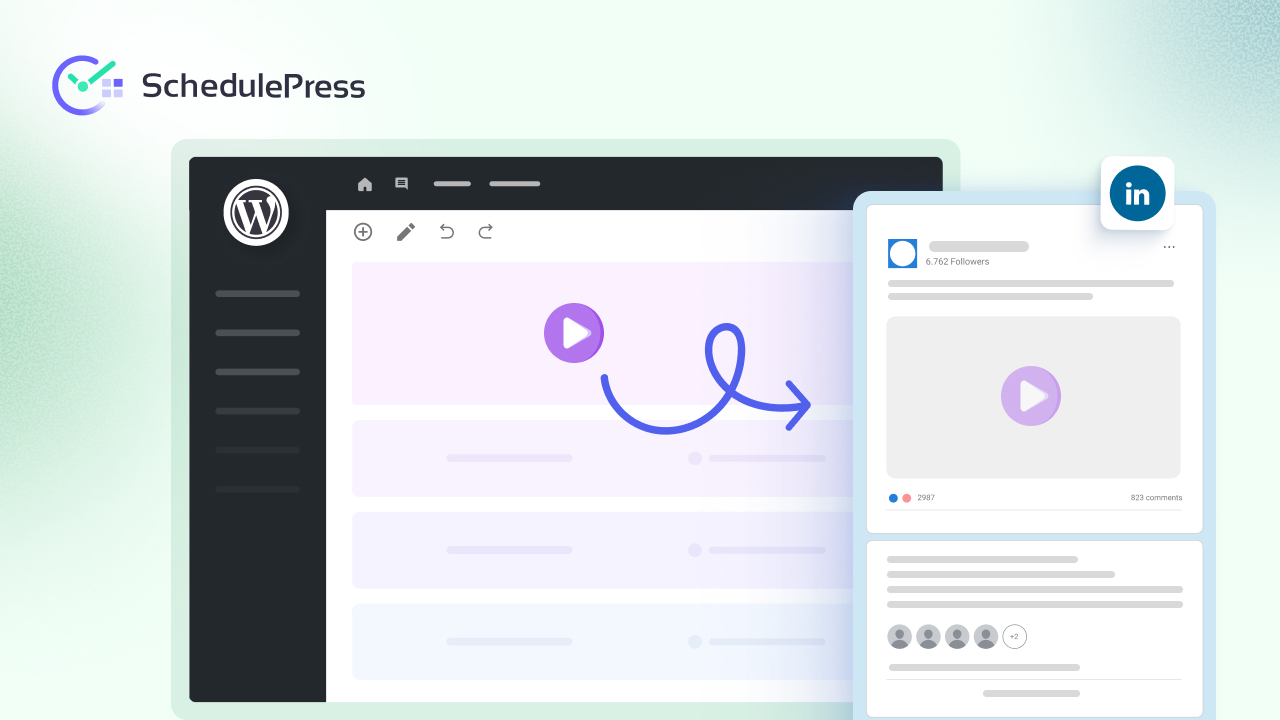
If you are serious about LinkedIn video marketing, automation is a powerful addition to your workflow. Add a video to your WordPress post and then follow this guide to know how to post a video to LinkedIn from WordPress.
Common Mistakes to Avoid When Posting Videos on LinkedIn
Even if you understand how to post a video to LinkedIn, mistakes can limit performance. One common mistake is posting low-quality videos with poor lighting or unclear audio. Professional presentation matters on LinkedIn more than on other platforms.
Another mistake is skipping captions or context. Without a caption, users may not understand why they should watch the video. Posting inconsistently is another major issue that reduces long-term growth.
Optimizing Video Content for Better Engagement
Posting a video is only part of the process. Optimization ensures your content reaches the right people. Start with a compelling thumbnail that reflects the topic clearly. Use subtitles to retain viewers who scroll silently. End your video with a clear takeaway or call to action.
Engagement signals such as comments and shares help boost visibility. Encourage viewers to interact by asking questions or inviting opinions.
Frequently Asked Questions (FAQs)
1. How long should a video be when learning how to post a video to LinkedIn?
When learning how to post a video to LinkedIn, it is best to keep your videos between 30 seconds and 2 minutes for maximum engagement. Shorter videos perform well in the feed because they deliver value quickly and encourage viewers to watch till the end. Longer videos can work if they are educational and capture attention within the first few seconds.
2. Is it better to upload a native video or share a video link on LinkedIn?
Native uploads are the better option when deciding how to post a video to LinkedIn. LinkedIn prioritizes native video content over external links, which results in higher reach and better engagement. Uploading videos directly also allows autoplay in the feed, which helps attract more viewers.
3. Can I schedule LinkedIn videos in advance?
Yes, you can schedule LinkedIn videos using social media scheduling tools. Scheduling helps maintain consistency and saves time, especially for marketers and businesses. Tools like SchedulePress allow you to plan LinkedIn video content in advance and publish it automatically at the best time for engagement.
Final Thoughts on How to Post a Video to LinkedIn
Learning how to post a video to LinkedIn is no longer optional for professionals and brands. Video helps you communicate faster, build authority and increase reach organically.
By following best practices using the right formats and maintaining consistency through scheduling tools, you can turn LinkedIn into a powerful video marketing channel. Focus on value clarity and consistency, and your results will follow.
If you want more tips and tutorials like this, be sure to subscribe to our blog and join our friendly Facebook Community to stay updated with the latest WordPress trends and social media marketing insights.