When you say ‘automate social media sharing‘, it means using a specialized tool to schedule and publish your content across different platforms, saving you from manual, repetitive work. For WordPress users, the most efficient way to achieve this is with a dedicated plugin like SchedulePress. It integrates directly into your dashboard, merging content creation and promotion into a single, powerful workflow.
💡 Why Automate Social Media Sharing Directly from WordPress?
If you are a content creator, you know the post-publishing routine all too well. You hit “Publish” on a new blog post and then the real struggle begins: opening multiple tabs, copy-pasting links and crafting unique posts for each social network. This process is tedious, time-consuming and pulls you away from what you do best: creating more great content.
This constant context-switching kills your focus and is a recipe for errors, like posting with the wrong account or forgetting a platform entirely. This inefficient workflow simply does not scale as you grow.
Automate Social Media Sharing in WordPress with SchedulePress
When you integrate a powerful tool like SchedulePress, your WordPress dashboard evolves from a simple writing space into your social media command center. Instead of treating writing and promotion as two separate, disconnected jobs, SchedulePress unifies them into one streamlined process.
This integrated approach offers significant advantages:
- Unmatched Efficiency: Write your blog post, schedule it and line up all its social promotion right there, in one go.
- Guaranteed Consistency: SchedulePress automation ensures your brand maintains a steady, professional presence on social media without you needing to manually push every single post.
- Increased Website Traffic: By making promotion effortless, you will do it more consistently. This drives your social followers back to your website, boosting pageviews and engagement.
This is not just about saving a few minutes; it is about building a reliable, automated engine that fuels your content strategy directly from WordPress.
A Smarter, More Strategic Workflow with SchedulePress
Choosing a WordPress-native tool like SchedulePress is a strategic move that positions you ahead of the curve. The social media automation market is already massive — valued at USD 27.04 billion in 2024 — and it is expected to explode to USD 12.8 billion by 2033. This growth highlights a clear trend: automation is no longer a luxury but an essential component for staying competitive.
By managing social promotion from inside WordPress with SchedulePress, your editorial calendar and social media schedule are perfectly synchronized, eliminating guesswork and simplifying team collaboration. For a deeper look, check out our complete guide on how to automate social media sharing from WordPress.
🔗 Connect Your Social Accounts with SchedulePress
Before you can unlock the magic of automation, you must connect your social media profiles to your WordPress site. While many external tools make this process complicated by forcing you to manage complex API settings, SchedulePress simplifies it by handling everything directly inside your WordPress dashboard.
Once this is done, you can say goodbye to logging into five different platforms just to share a new blog post. SchedulePress centralizes control to save you time and minimize errors.
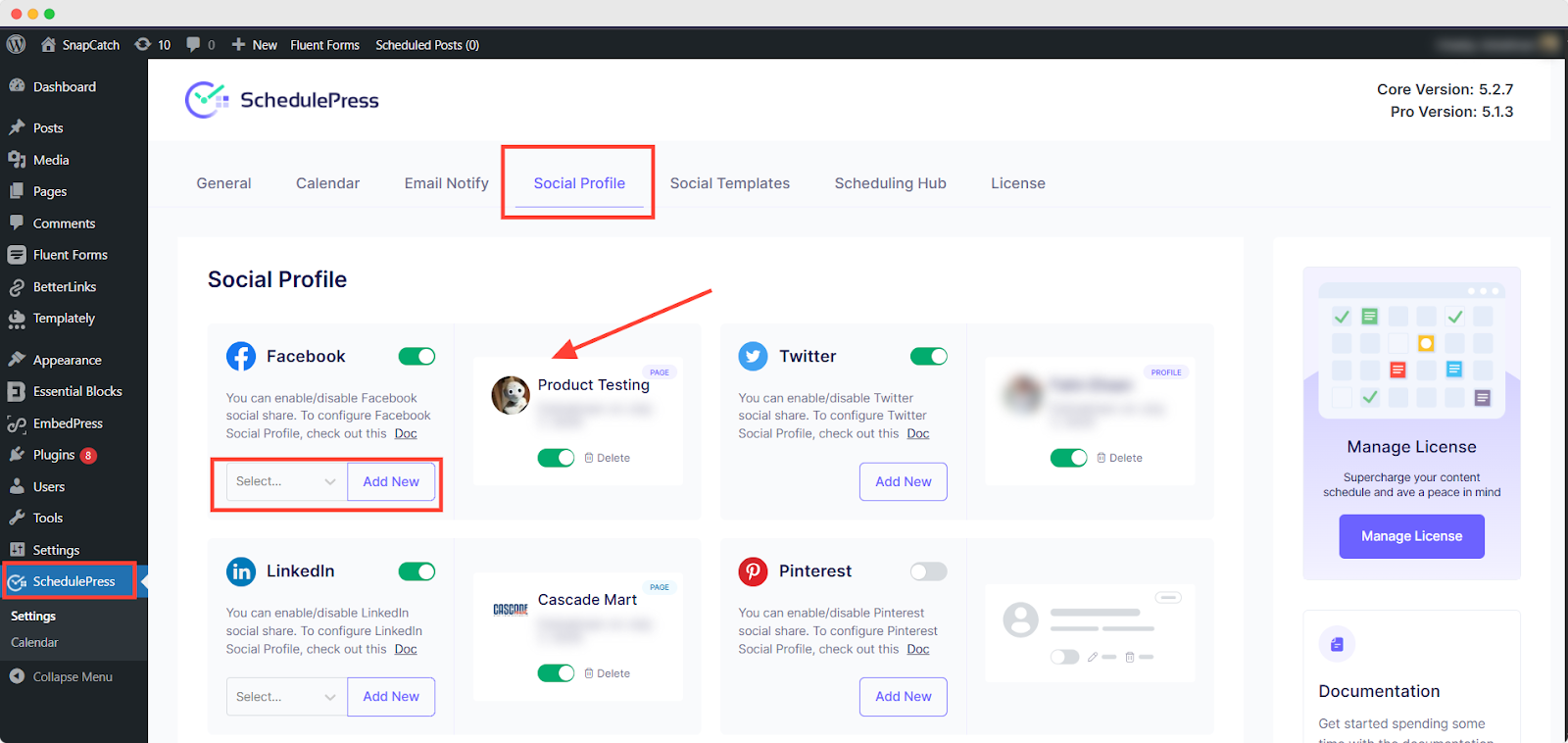
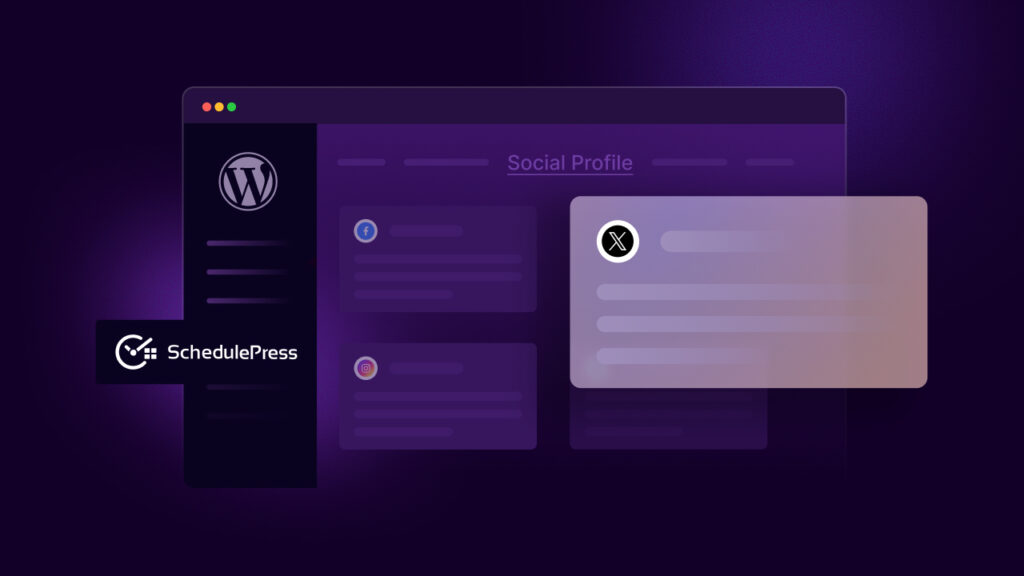
The screenshot above provides a glimpse of the clean, intuitive interface of the ‘Social Profile‘ tab within SchedulePress, where you will manage all your social profiles. Everything is laid out clearly, so you can connect, disconnect or check the status of your accounts without navigating a confusing maze of options.
The Simple, One-Time Setup Process
After installing and activating the plugin, simply navigate to SchedulePress → Settings and click on the Social Profile tab. You will see all supported platforms ready for connection.
- Facebook: Connect both Pages and Groups that you manage. SchedulePress seamlessly redirects you to Facebook to grant permission. Once approved, you simply select the pages or groups you wish to automate.
- X (formerly Twitter): Connecting your X account is a simple two-click process. Click ‘Add New Profile,’ authorize the SchedulePress app and you are set.
- LinkedIn: Link your personal profile and any Company Pages you manage. Similar to Facebook, LinkedIn will prompt for your permission to allow SchedulePress to post for you.
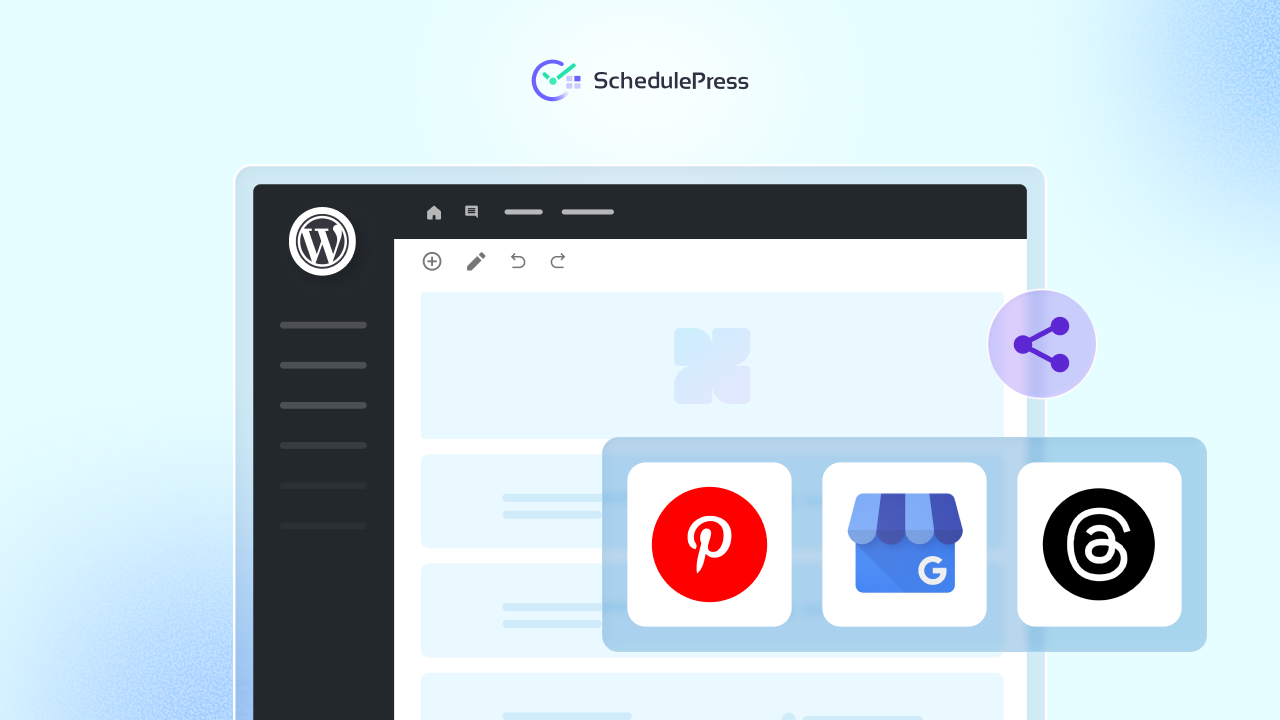
- Pinterest: Connect your account and choose the exact board where your WordPress posts should be published. This is an essential feature for creators with visual content, such as recipes, DIY guides or design portfolios.
… & more social platforms.
Setting up each profile typically takes less than a minute. The best part? Once a profile is connected, it stays connected. You will not need to re-authenticate unless you decide to revoke access or change your social media password.
Supported Platforms for Maximum Reach
One of the greatest advantages of SchedulePress is its extensive range of supported networks. This ensures your content can reach its intended audience wherever they are, which is fundamental to a robust content distribution strategy. Not only blog posts, you can also schedule documentation for WordPress.
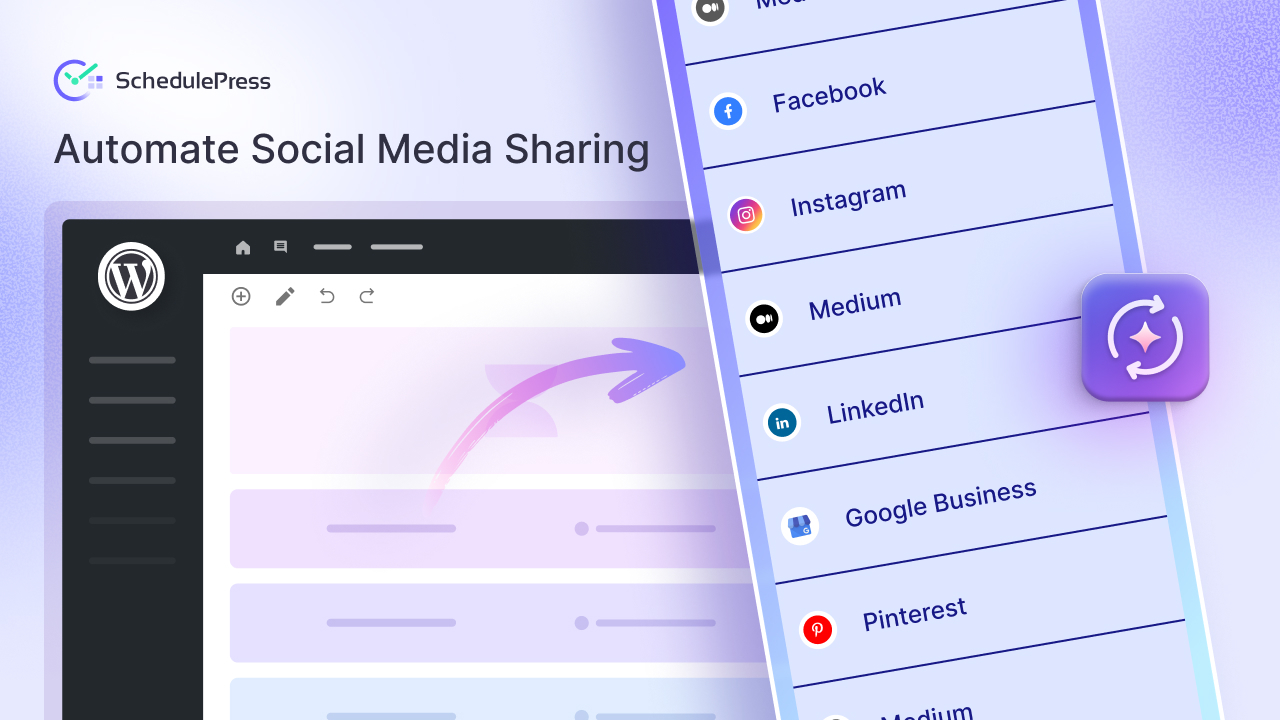
Connect and push content to a wide array of platforms, all from your WordPress dashboard:
- Facebook (Pages & Groups)
- X (Twitter)
- LinkedIn (Profile & Pages)
- Threads
- Medium
- Google Business Profile
Customize Social Posts Without Leaving the WordPress Editor
Once your social accounts are connected, you unlock the true power of automating your social media with SchedulePress. This is where you transition from simply dropping links to crafting strategic, platform-specific messages — all without ever leaving the comfort of your WordPress editor.
With SchedulePress, social sharing becomes a seamless part of your content creation process. As you are writing your post, you have total control over how it will look and be shared on Facebook, Twitter, LinkedIn and everywhere else with the custom social template feature. This ensures your promotional messages are thoughtful and tailored, not just generic afterthoughts.
This is a critical advantage because a one-size-fits-all message simply does not work. The casual, friendly tone that excels on Facebook will likely fall flat in a professional LinkedIn feed. And that 280-character limit on X? It requires a completely different approach.
SchedulePress empowers you to:
- Adapt Your Tone: Write a professional, insight-driven caption for LinkedIn, a short and punchy question for X and a longer, more descriptive story for your Facebook Page.
- Optimize Hashtags: Use broad, trending hashtags for X but switch to niche, industry-specific ones for LinkedIn to attract a more targeted professional audience.
This level of control makes your content feel native to each platform, dramatically increasing its chances of being noticed and engaged with. You are no longer just broadcasting; you are starting meaningful conversations in the right places, with the right tone.
Harnessing the Power of Dynamic Social Templates
Even with an integrated workflow, manually writing every single social post can still be time-consuming. This is where SchedulePress default social templates come in to save the day. Think of them as pre-configured message structures that use dynamic tags to automatically pull information directly from your blog post.
These dynamic tags are essentially smart shortcuts. Instead of typing your post title every time, you just use a tag like {title}. When the post is shared, SchedulePress replaces that tag with the actual title of your WordPress post. It is that simple. Your branding and message structure remain consistent across all your shares without you lifting a finger.
Some of the most useful dynamic tags include:
{title}: Inserts the blog post title.{content}: Pulls in the full content of your post (use with caution!).{url}: Adds the permalink to your post.{tags}: Automatically converts your WordPress tags into social media hashtags.
🗓️ Build a Powerful Content Calendar Inside WordPress with SchedulePress
Effective automation is not just about firing off posts the moment you hit publish; it is about executing a well-planned strategy. Trying to juggle blog post dates, social media campaigns and team deadlines across multiple spreadsheets is a recipe for chaos and missed opportunities.
SchedulePress eliminates this chaos by integrating a complete content calendar directly into your WordPress dashboard, transforming it into the ultimate command center for your content. Your entire strategy, from the initial blog post draft to the final promotional tweet, lives in one place. This is how you shift from a reactive to a proactive approach to content distribution.
Get a Bird’s-Eye View of Your Content Pipeline
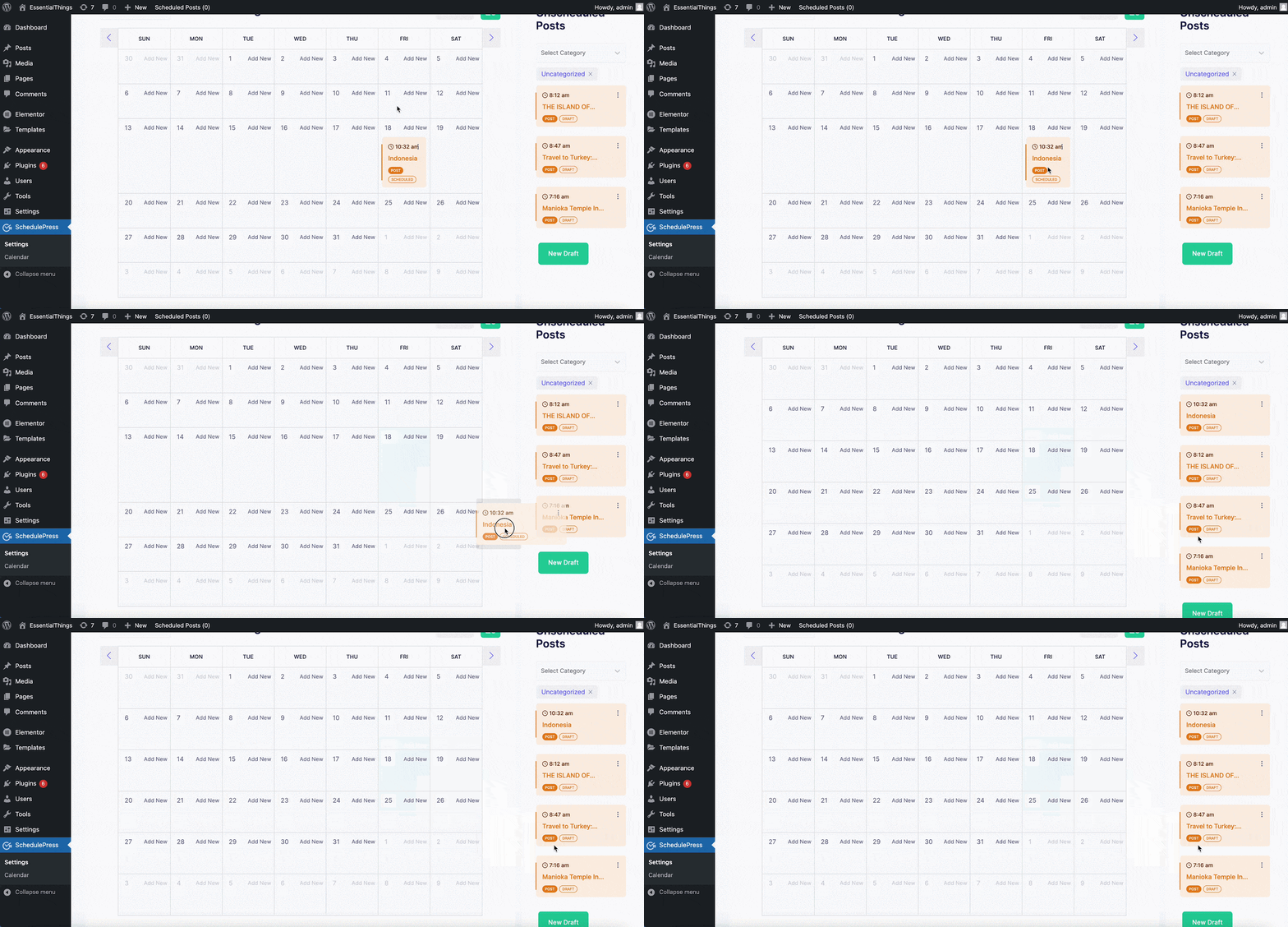
The heart of this command center is the visual Schedule Calendar. It is not just a feature; it is a game-changer that provides a clear, month-at-a-glance overview of your entire publishing schedule. No more guessing what is coming up or digging through files to find campaign launch dates.
The drag-and-drop interface is incredibly intuitive. Need to move a post from Tuesday to Friday? Just drag it over. You can even create new blog post drafts directly from the calendar view, which is perfect for mapping out future content without ever leaving your strategic overview.
Never Worry About a Missed Post Again with SchedulePress
One of the biggest concerns with any scheduling system is the risk of failure. What happens if a server glitches or a plugin conflict occurs right when a post is scheduled to go live? With the default WordPress scheduler, that post could simply be missed, disrupting your entire content plan.
SchedulePress has a built-in safety net for this exact problem: the Missed Schedule Handler. If it detects that a post failed to publish on time — for any reason — it does not just let it slide. The moment your site is back online, the Missed Schedule Handler immediately publishes the post.
Automate Social Media Sharing: Strategy & Tips
Setting up your social media automation is a huge win, but true growth comes from continuous refinement. A “set it and forget it” mindset will only get you so far. To truly move the needle, you need to analyze what resonates with your audience, identify what’s working and constantly refine your workflow right inside SchedulePress.
Analyze Engagement to See What Resonates
The first step in any optimization plan is to analyze your data. Dive into your social media analytics. Which automated posts are generating the most likes, comments, and shares? Are certain topics or content formats consistently outperforming others?
These insights are invaluable. They tell you exactly what your audience wants and when they are most receptive, allowing you to fine-tune your SchedulePress settings for maximum impact.
A/B Test Your Social Media Templates
Once you have a baseline for your performance, it is time to experiment. A/B testing is not just for landing pages; it is a powerful tool for social media, too.
Here are a few simple tests to get you started:
- Question vs. Statement: For one post, frame the caption as a question (e.g., “What are your thoughts on this?”). For another, use a strong statement (e.g., “Here’s why this is a game-changer.”). See which one sparks more conversation.
- Hashtag Variations: Test different hashtag strategies. Compare a set of broad, high-volume tags against a curated list of niche, community-specific ones. This will reveal what kind of traffic each drives. The
{tags}and{categories}dynamic tags in SchedulePress make this easy to automate social media sharing. - Excerpt vs. Custom Hook: Let the default
{excerpt}tag run for a week. The following week, try manually crafting a more compelling, custom hook for each post. Does the click-through rate to your blog improve?
Troubleshoot Common Automation Issues
Even the best-oiled machine can encounter a snag. Knowing how to quickly resolve common issues ensures your content engine continues to run smoothly. The good news is that with SchedulePress, most problems are simple to fix and do not require technical expertise.
Here are a few common scenarios and their quick fixes:
- Disconnected Social Profile: Occasionally, platforms may revoke access tokens for security reasons. If you notice posts have stopped sharing to a specific network, simply navigate to SchedulePress → Settings → Social Profile and reconnect the account. It typically takes just a few clicks.
- Image Formatting Errors: Is an image appearing stretched, blurry, or distorted? This is often due to a mismatch between your WordPress featured image dimensions and the social platform’s preferred specifications. The best solution is to create a custom social media image and upload it directly in the SchedulePress social sharing settings for that specific post.
🧑💻 Got Questions? We Have Answers
When you automate social media sharing, a few common questions always pop up. Let us tackle them head-on so you know exactly how SchedulePress provides the superior solution.
Can I Write a Different Social Media Message for Each Platform?
Absolutely. SchedulePress is not a one-size-fits-all tool, and that is one of its greatest strengths. Right inside the WordPress editor, SchedulePress provides a dedicated sharing box for every social profile you have connected. You can also create custom social templates and use dynamic tags like {title} and {excerpt}.
What Happens If My Website Is Down When A Post Is Scheduled?
This is a common concern, and SchedulePress has you covered. SchedulePress includes a built-in safety net called the Missed Schedule Handler that constantly monitors your publishing queue.
Can SchedulePress Post to Instagram Stories or Reels?
SchedulePress offers a robust integration with Instagram that allows you to automate social media sharing directly to your main feed. This is perfect for maintaining a consistent, professional-looking grid with high-quality visuals scheduled right from your WordPress dashboard. You can absolutely manage and automate social media sharing with SchedulePress to keep your profile active and your audience engaged.
🤖 Automate Social Media Sharing with SchedulePress Today
When you automate social media sharing, a few common questions always pop up. Let us tackle them head-on so you know exactly how SchedulePress provides the superior solution.
Ready to take back your time and put your social media workflow on autopilot? SchedulePress gives you all the tools to plan, schedule, and promote your WordPress content without ever leaving the dashboard.
If you have found this blog helpful, share your opinion with our Facebook community. You can subscribe to our blogs for valuable tutorials, guides, knowledge, tips, and the latest WordPress updates.