Manually sharing every WordPress post on Facebook is exhausting. It breaks consistency, wastes time and often leads to missed publishing windows. That is exactly why Facebook auto share has become essential for modern WordPress publishers who want growth without burnout.
In this guide, we will break down how auto sharing on Facebook works, why manual posting hurts scalability and how you can automate Facebook sharing directly from WordPress using a smarter workflow. We will also cover common mistakes, customization options and long-term strategies so your automation never feels spammy.
Why Facebook Auto Share Matters for WordPress Sites
Facebook remains one of the strongest traffic sources for blogs, businesses and content creators. But success on Facebook depends heavily on consistency and timing. Posting manually makes both unreliable.
Facebook auto-share removes friction from your workflow. Instead of remembering to copy links, format captions and upload images every time you publish, automation handles it instantly and accurately.
More importantly, Facebook auto-share allows you to scale. Whether you publish one post a week or several per day, automation ensures your Facebook presence never drops due to human error or workload pressure.
The Real Cost of Manual Facebook Sharing
Manual posting seems harmless at first. But over time, it creates invisible bottlenecks that slow growth. When you rely on manual Facebook posting, you deal with:
- Missed publishing times when you are busy or offline
- Inconsistent messaging across posts
- Forgotten older content that could still perform well
- Fatigue from repetitive copy-paste tasks
Auto share on Facebook solves these problems by creating a predictable system. Once configured, every post follows the same reliable process, which is exactly how successful content teams operate.
How Facebook Auto Share Actually Works
Facebook auto share connects your WordPress publishing flow directly with Facebook. When a post is published or scheduled, the automation triggers a share on your selected Facebook destination.
Behind the scenes, this process relies on official Facebook APIs, permissions and post-level settings. A proper Facebook auto share setup ensures:
- Posts are shared instantly or at scheduled times
- The correct title, image and description are used
- Facebook guidelines are respected to avoid restrictions
A well-built system never feels like spam. Instead, it feels like a natural extension of your publishing workflow.
What Makes a Good Facebook Auto Share Tool?
Not all automation tools are created equal. Some focus on volume, while others focus on precision. A reliable Facebook auto share solution should offer:
- Direct WordPress integration
- Post-level customization
- Safe API-based connections
- Scheduling flexibility
- Support for pages and groups where allowed
Without these features, automation quickly becomes unreliable or risky.
How SchedulePress Handles Facebook Auto Share Differently
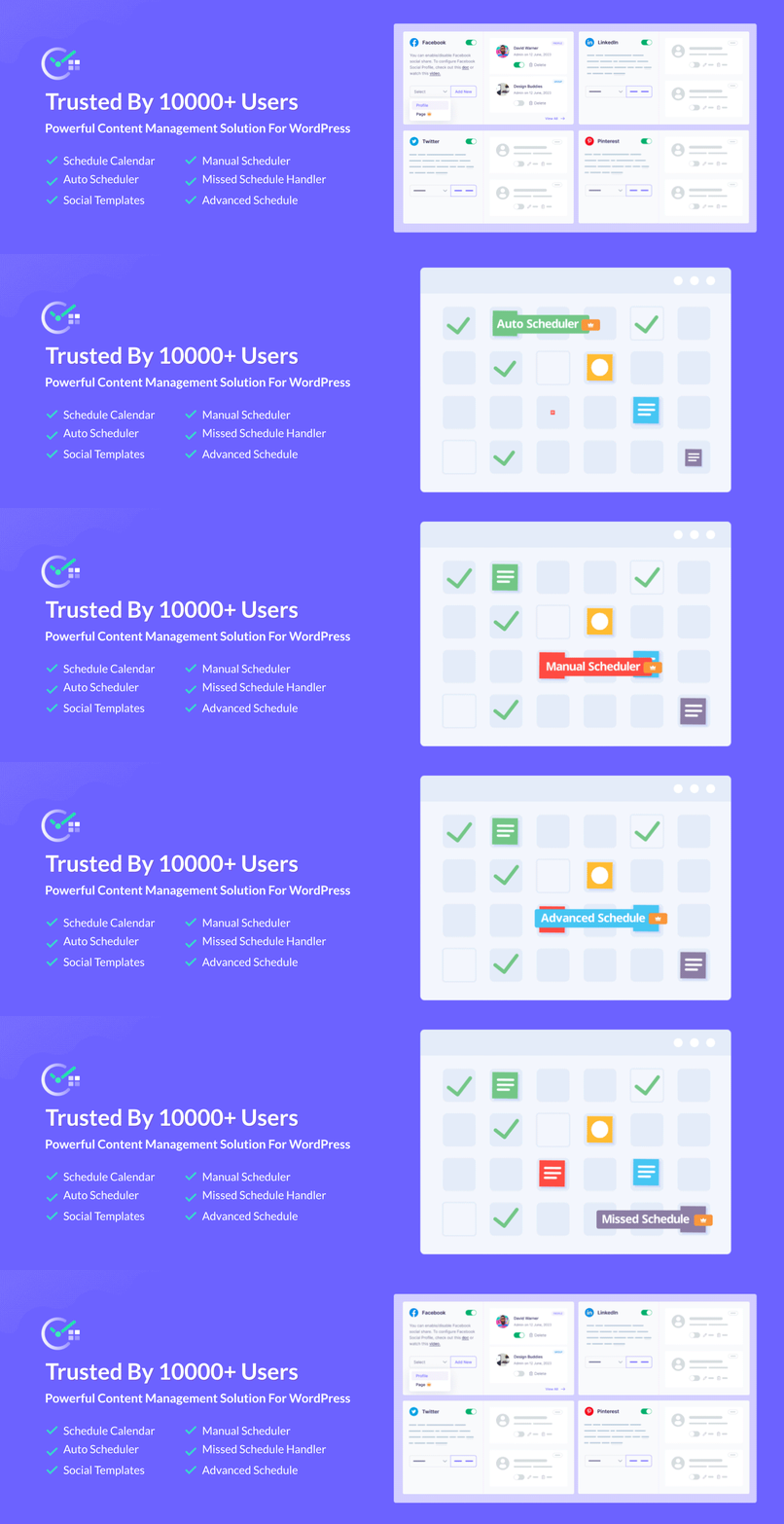
SchedulePress approaches Facebook auto share from inside WordPress, not as a disconnected external service. This makes a significant difference in control and reliability.
Instead of syncing content from another dashboard, SchedulePress allows you to:
- Configure Facebook auto share while editing posts
- Customize captions using custom social templates
- Schedule Facebook shares alongside WordPress publishing
- Maintain consistency without extra tools
Because everything happens within WordPress, your workflow stays centralized and efficient.
Auto Share on Facebook: How to Make It Effortless with SchedulePress
Auto sharing on Facebook should feel invisible. You set it up once and it works in the background. With SchedulePress, you connect your social accounts directly from WordPress. From there, every new post can be shared automatically using predefined templates. This social media automation approach ensures consistency while keeping your messaging aligned with each platform.
Below are the core steps to put your strategy into motion.
Step 1: Install and Activate SchedulePress
Start from your WordPress dashboard and go to Plugins → Add New. Search for SchedulePress, install it, and hit Activate. From this point, your site is equipped to handle both post scheduling and social media automation without extra juggling between plugins.
If you already follow a WordPress content strategy, this is the moment where scheduling and sharing finally join forces.
Step 2: Connect Your Social Profiles
Next, go to SchedulePress → Settings → Social Profiles. Here you can connect your main social channels in just a few clicks, including Facebook Pages & Groups.
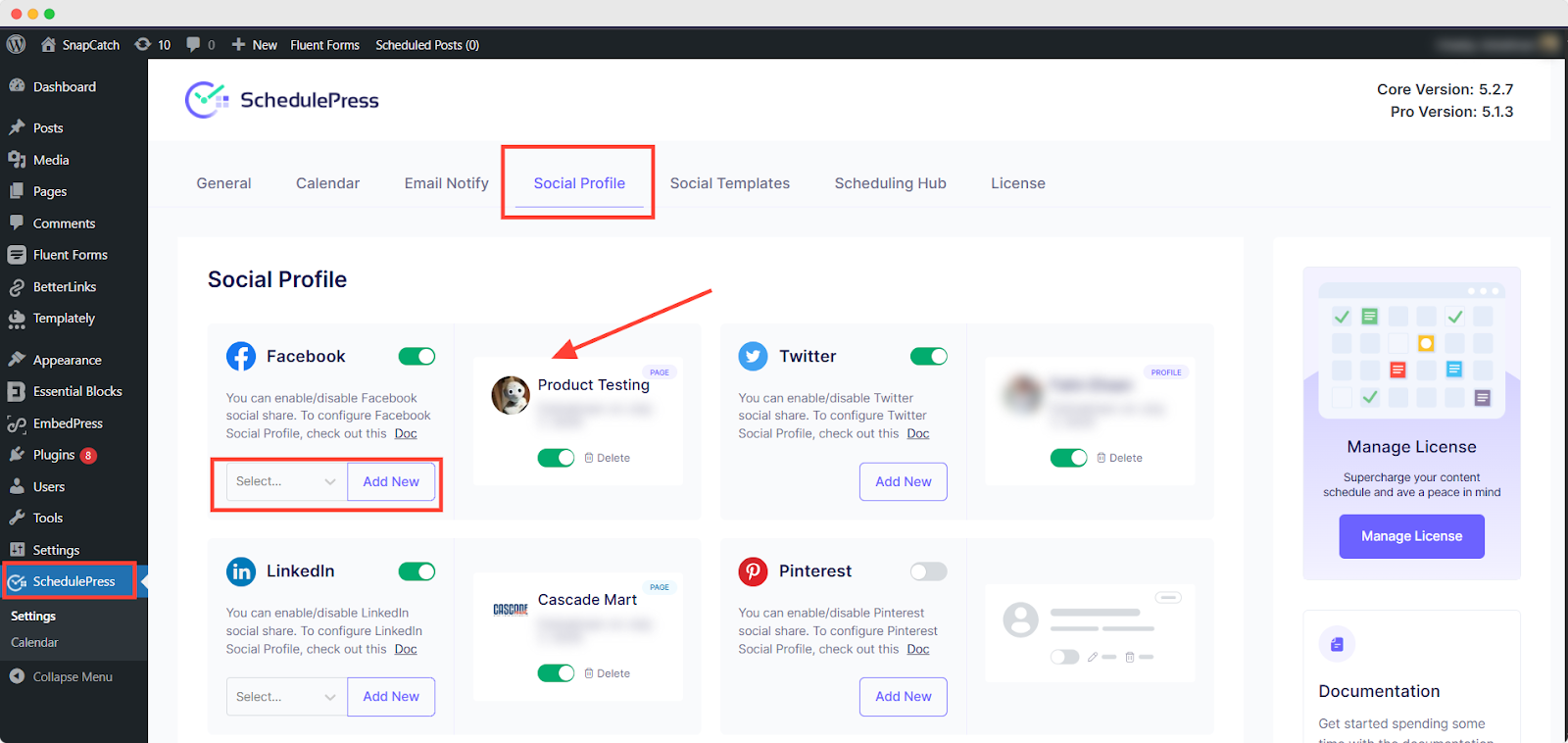
Authorize the platform once and SchedulePress remembers your connections for future posts. No more logging into other tabs every time you publish. This is where your multi-platform publishing workflow starts to feel real. One piece of content. Several channels. One control center.
Step 3: Plan and Create Content Around Your Blog Posts
With SchedulePress installed, your content planning becomes more intentional. Start with your upcoming blog posts — the core of your WordPress content strategy — and build your social ideas around them.
Ask yourself:
- What key takeaway can become a single post?
- Which section could be a multi-slide carousel?
- Is there a stat or quote that could work well on X or LinkedIn?
Document these ideas in your calendar or planning sheet. This is classic content repurposing: one article fueling multiple social posts. It keeps your feed active and lets your best content live longer.
Step 4: Add Platform-Specific Content in the WordPress Editor
Open a post in the WordPress editor and scroll down to the SchedulePress sharing box. This is where, with custom social templates, you prepare platform-specific content for Facebook.
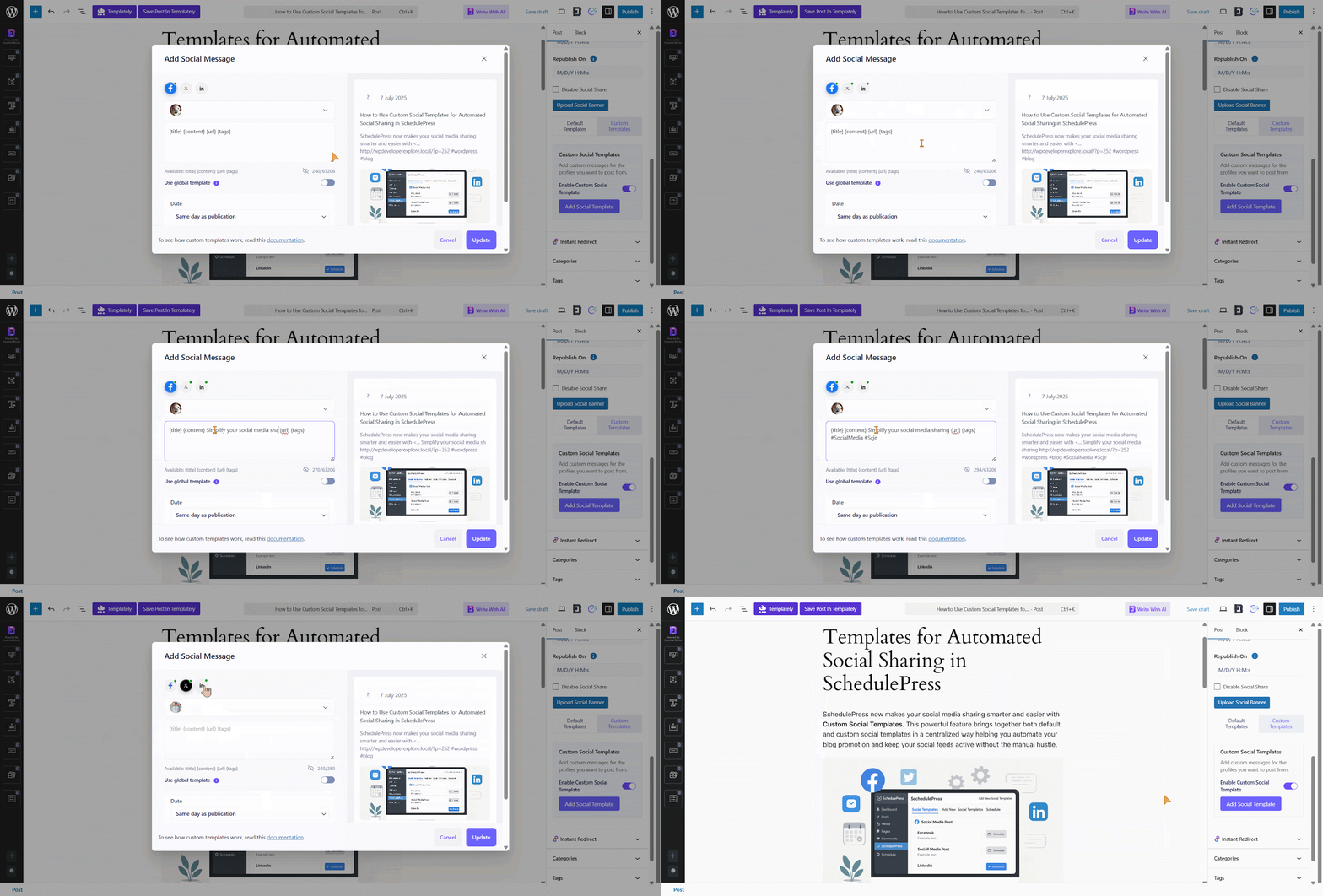
You might write a conversational caption for Facebook. All tied to the same blog post, all managed from one screen.
Now, every time you publish, SchedulePress automatically generates a caption based on that structure. The repetitive work is handled by social media automation, not your keyboard.
Common Facebook Auto Share Mistakes to Avoid
Automation does not mean “set and forget forever.” Poor setups often cause more harm than good. Here are common mistakes that reduce the effectiveness of Facebook auto share:
- Sharing identical captions repeatedly without variation
- Ignoring audience timing and engagement windows
- Auto-sharing every post without content filtering
- Using unofficial tools that risk account restrictions
The key is controlled automation. Facebook auto share should amplify your strategy, not replace thoughtful content distribution.
Facebook Auto Share and Content Timing Strategy
Timing is not optional. Facebook auto share works best when paired with scheduling intelligence. Instead of posting randomly, you can:
- Schedule shares during peak engagement hours
- Match posting frequency to audience behavior
- Maintain rhythm without manual effort
Knowing the best times to post on Facebook turns Facebook auto share into a growth engine rather than a posting shortcut.
Building a Smarter Facebook Auto Share Workflow
Facebook auto share is not about replacing human strategy. It is about removing unnecessary friction so you can focus on content quality and audience connection. When implemented correctly, Facebook auto share ensures consistency, improves reach, and supports scalable growth. With SchedulePress, automation stays controlled, flexible, and aligned with how WordPress actually works.
Instead of chasing engagement manually, let us build systems that work even when you are offline. Facebook auto share is not a shortcut. It is infrastructure. If you want more tips and tutorials like this, be sure to subscribe to our blog and join our friendly Facebook Community to stay updated with the latest WordPress trends and social media marketing insights.