Publishing on social media can feel simple until you try to do it consistently. You write captions, resize visuals, post at the right time, reply to comments, review performance and then do it again tomorrow. That is why so many teams look for social media marketing automation tools that can turn daily posting into a repeatable system.
In this guide, let us rebuild the blog you shared into a cleaner buyer guide. You will learn what to look for, how to compare options without drowning in features and how to set up automation that still feels human.
Why Social Automation Matters More Than Ever
If you post only when you remember, your results depend on your mood and your calendar. A consistent presence depends on processes and that is exactly what social media marketing automation tools are meant to support. They reduce repetitive steps so you can spend more time on creativity and strategy.
Automation also protects timing. When your content is scheduled and your workflow is clear, your brand shows up even during travel, client work, holidays and busy seasons.
What Social Media Marketing Automation Tools Really Do
At a basic level, social media marketing automation tools help you plan, create a schedule, publish and measure posts across multiple platforms. The best ones go further by organizing your work into a single workflow where ideas become drafts, drafts become scheduled posts and scheduled posts become measurable results.
A good tool should not only help you press “publish” later. It should help you publish better by making planning easier and performance feedback clearer.
Where Manual Posting Breaks Down
Manual posting usually fails in three places. First, planning gets messy because you do not have a clear view of what is coming next. Second, consistency drops because scheduling takes time and time disappears fast. Third, the performance review is delayed because reporting becomes another task you keep pushing to next week.
This is why social media marketing automation tools are not only about convenience. They are about stability, visibility and repeatable output.
Features that Separate a Serious Platform from a Basic Scheduler
Most tools advertise the same surface features. To choose well, focus on the workflow underneath. Use the checklist below as your filter when you compare social media marketing automation tools.
A Planning Hub with a Content Calendar You Will Actually Use
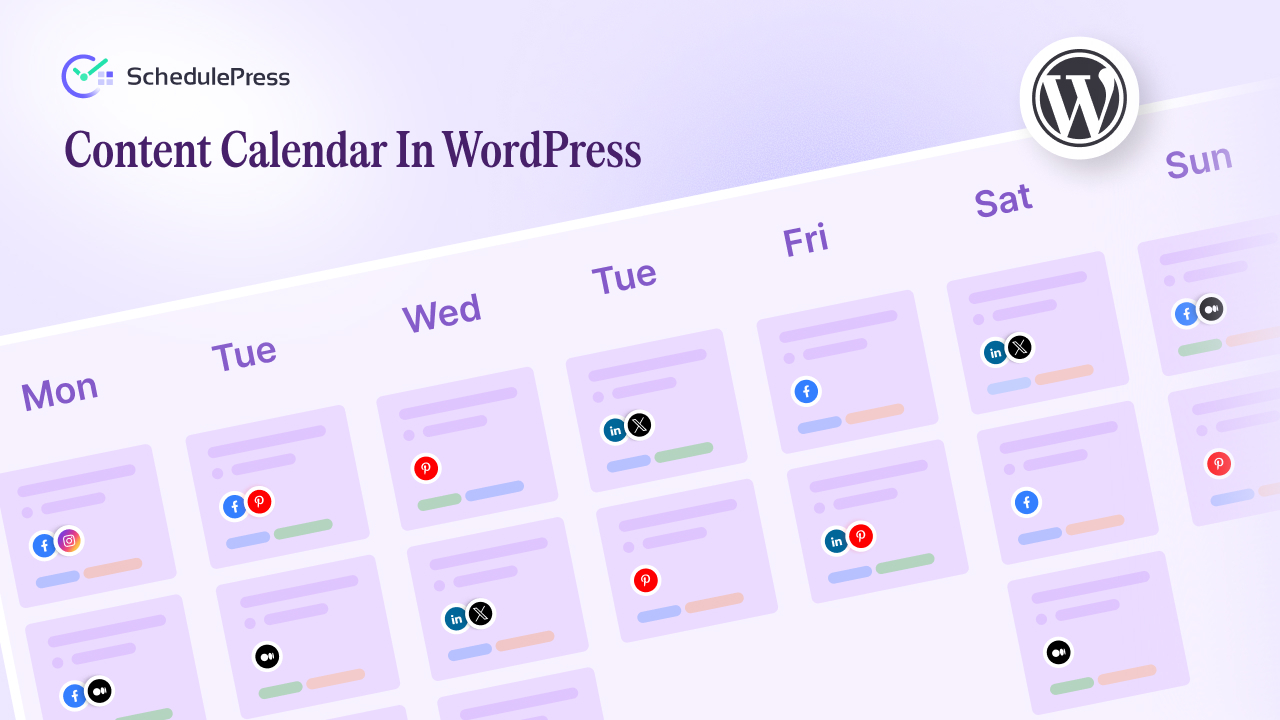
A strong content calendar should feel like a command center, not a spreadsheet replacement. You should be able to see posts by day and week, move items around quickly and understand the month at one glance. If your tool makes planning feel heavy, your team will stop using it.
A reliable content calendar also makes collaboration easier. When everyone can see what is scheduled and what is still in draft, you spend less time in status meetings and more time shipping content.
Fast Social Media Scheduling Across Channels
Good social media scheduling is not only “set a time and forget it.” You want a clean way to schedule to multiple platforms, reuse proven formats and keep timing consistent across campaigns. If scheduling a week of posts takes an hour, you will not sustain the habit.
The best social media scheduler also includes quick duplication, easy editing and a clear status label for each post. When you can see what is planned, what is approved and what is live, the workflow becomes predictable.
Automated Social Sharing That Still Sounds Like Your Brand
Automation is powerful, but only if it keeps your voice intact. Look for automated social sharing features that let you create templates, adjust text per platform and preview posts before they go live. That balance gives you speed without turning your feed into robotic repetition.
You will also want auto social sharing rules that support campaigns. For example, you might want every new blog post to share automatically, while product updates require approval.
Social Media Analytics That Are Easy to Act on
Dashboards are common, insights are rare. Strong social media analytics should answer practical questions such as which post types drive clicks, which topics win saves and which time slots perform best. When analytics are actionable, your next month becomes smarter than your last month.
Good social media analytics also make reporting easy. If your team spends hours building reports, performance reviews will happen less often and improvements will slow down.
Engagement Tracking and Inbox Control
Publishing is only one part of marketing. Conversations matter too. Solid engagement tracking helps you monitor comments, mentions and replies so you do not miss important messages. It also helps you understand what content is attracting real interaction rather than passive views.
If your brand handles support questions through social, engagement tracking becomes even more important. You will want filters, assignment options and saved replies so the team can respond quickly and consistently.
Approvals Roles And a Clear Publishing Workflow
If you work with multiple people, the workflow needs structure. A reliable publishing workflow supports drafts, review, approval and scheduled publishing without confusion. It should be obvious who owns the next step and what is blocked.
This is where many basic schedulers fail. They can schedule posts, but they cannot support a real publishing workflow across a team.
How to Compare Tools without Getting Stuck in Feature Overload
It is easy to overthink this decision. A simple approach works better. Create a short scorecard and test each platform using the same tasks. That is the fastest way to pick between social media marketing automation tools based on reality rather than marketing copy.
Here is a practical scorecard you can use:
- Planning experience using the content calendar
- Speed of social media scheduling for a week of posts
- Control level of auto social sharing templates
- Clarity of social media analytics and reporting
- Quality of engagement tracking and inbox tools
- Ease of collaboration within the publishing workflow
- Reliability and support experience during setup
If a tool wins on most of these, it will likely fit your needs.
The Main Categories of Social Automation and Who They Fit
Not all social media marketing automation tools are built for the same user. You will choose faster if you identify your category first.
All-in-one Suites for Teams
These platforms usually combine planning, scheduling, analytics and inbox features. They tend to be best for brands that need a shared calendar, shared reporting and shared engagement management. If you want one place for scheduling and performance review, this category often fits.
They also usually support a stronger publishing workflow with roles and approvals. If multiple people publish on behalf of the brand, this matters.
Creator-friendly Tools Focused on Speed
Creator-focused platforms usually prioritize fast post creation, easy social media scheduler and lightweight reporting. They are great when one person runs the entire process and wants minimal setup. The tradeoff is that advanced collaboration and deeper analytics can be limited.
If your biggest problem is consistency, this category can help. If your biggest problem is coordination, a team-focused platform might be better.
Agency Workflows Built around Multiple Brands
Agencies often need separate workspaces, client approvals and reporting. The best fit usually includes a strong content calendar, clear publishing workflow rules and easy exports for reporting. Agencies also benefit from consistent automated social sharing templates across clients, because repeatability is the agency advantage.
A WordPress First Workflow That Pairs Publishing with promotion
If most of your content starts in WordPress, your ideal setup often combines site publishing with social distribution. For example, SchedulePress can handle scheduled publishing and auto sharing from WordPress while your broader stack covers inbox management and deeper analytics. In that setup, social media marketing automation tools become the layer that unifies the social side while WordPress handles the content source.
This approach is especially useful when blog posts are a major driver of your social content. Your content calendar stays clean, your social media scheduling stays consistent and your automated social sharing triggers the moment new content goes live.
A Practical Setup Playbook You Can Run in One Afternoon
After you pick a platform, setup determines whether it becomes a habit. Here is a setup plan that makes social media marketing automation tools feel useful from day one.
Step 1: Define Your Weekly Posting Rhythm
Before scheduling anything, decide how often you will post on each channel. Keep it realistic. Consistency beats intensity. A simple plan like three posts per week can outperform daily posting that collapses after two weeks.
Step 2: Build Your First Month in the Content Calendar
Open the content calendar and plan four weeks. Add placeholders for themes such as tutorials, product stories, community highlights and blog shares. This gives you a roadmap before you create every caption. A strong content calendar turns vague intentions into a visible plan. When you see gaps, you can fill them early.
Step 3: Create Templates for Auto Social Sharing
Write two or three templates that match your brand voice. One can be educational, one can be conversational and one can be promotional. Then adjust templates per platform so the same message does not feel copied.
This is how automated social sharing stays human. Templates create consistency while still leaving room for edits.
Step 4: Batch Create Content and Schedule in Blocks
Create content in batches, then schedule in one session. This is where social media schedulers become a time saver. When you schedule a full week at once, you reduce context switching and you protect your time.
Repeat this weekly and your marketing stops feeling like daily firefighting.
Step 5: Turn on Analytics Tracking and Pick Three Metrics
Do not track everything. Pick a few signals you will review every week, then build from there. Common choices include clicks, saves and meaningful comments. Your tool should make social media analytics easy enough that you will actually check it. With consistent review, social media analytics become a planning engine rather than a monthly report you ignore.
Step 6: Set Rules for Engagement Tracking
Decide how quickly you want to respond and who responds. If you have a team, assign responsibility by channel or by message type. This is where engagement tracking protects your reputation.
Strong engagement tracking also helps you discover content ideas. Questions and objections often become your best future posts.
Step 7: Document Your Publishing Workflow
Write a one page process: who drafts, who reviews, who approves and when scheduling happens. A clear publishing workflow reduces confusion and prevents last-minute delays. It also makes onboarding easy when your team grows.
Mistakes to Avoid When You Automate
Automation should not remove your personality. It should remove your repetition. These mistakes are common when people adopt social media marketing automation tools.
Automating without a Content Strategy
Scheduling random posts faster does not create growth. Start with themes and goals, then schedule. Your content calendar should reflect strategy, not only deadlines.
Copying the Same Caption Everywhere
Different platforms reward different styles. Use templates as a starting point, then adapt. This keeps auto social sharing effective rather than spammy.
Ignoring Analytics Until It Is Too Late
If you never review performance, you repeat the same mistakes. Make social media analytics part of your weekly rhythm. A short review is enough to guide smarter planning.
Treating Engagement Like an Afterthought
If your tool schedules posts but you never reply, your growth will stall. Build engagement tracking into your routine and your brand will feel more present even when posting is automated.
FAQ about social automation tools
Are social automation tools only for big teams?
No. Many solo creators use social media marketing automation tools to protect consistency. The value comes from saving time and reducing decision fatigue, not from company size.
Will automation reduce authenticity?
It can if you over automate. When you use templates wisely and review scheduled posts before publishing, automation supports your voice rather than replacing it. A good publishing workflow keeps quality high.
What is the best way to start if I feel overwhelmed?
Start small. Build a two week plan in your content calendar, schedule those posts, then review results. Once you trust the process, scale to a month and expand templates.
Choose a System You Will Keep Using
The best platform is the one that fits your habits. Social media marketing automation tools should help you plan with a calendar, execute with scheduling, improve with analytics and stay responsive with engagement management. When those pieces work together, your marketing becomes calmer and more effective.
If you want a practical next step, pick one tool, run the scorecard tests and set up a simple month in the calendar. Within two weeks you will know whether it supports your workflow or creates more friction.
If you have found this blog helpful, share your opinion with our Facebook community. You can subscribe to our blogs for valuable tutorials, guides, knowledge, tips, and the latest WordPress updates.