Managing social media consistently is no longer optional. Whether you run a blog, a business site or a growing brand, showing up regularly across platforms plays a major role in visibility, engagement and traffic. But posting manually every day quickly becomes exhausting. That is why many creators start searching for the best free social media schedulers to stay consistent without increasing workload.
The problem is not a lack of tools. The real challenge is choosing a scheduler that fits your workflow instead of forcing you to adapt to it. Some tools focus on social only. Others lack flexibility. And many free plans come with frustrating limits.
In this guide, we will break down what truly makes the best free social media schedulers worth using, explore common limitations and show how WordPress users can simplify everything with a smarter scheduling approach using SchedulePress.
Why Free Social Media Schedulers Matter More Than Ever
Free scheduling tools are often the starting point for individuals and small teams. They help you plan ahead, reduce manual work and maintain consistency without upfront cost. But not all free schedulers are built the same.
Most people look for the best free social media schedulers because they want to:
- Save time without sacrificing reach
- Maintain posting consistency across platforms
- Reduce mental load and last-minute posting stress
- Build a repeatable content workflow
The key is understanding that scheduling is not just about publishing. It is about building a sustainable system. When scheduling connects directly with content creation and planning, your entire marketing workflow becomes smoother.
What to Look for in the Best Free Social Media Schedulers
Before comparing tools, it is important to understand what actually matters. Many tools advertise dozens of features but miss the fundamentals.
Consistent Scheduling Without Daily Manual Work
The core purpose of any scheduler is consistency. The best free social media schedulers allow you to plan posts in advance so you are not tied to daily manual publishing. Consistency builds algorithm trust, audience expectation and brand reliability. Without it, even great content struggles to perform.
Platform Coverage That Matches Your Needs
Some schedulers support many platforms while others focus on just a few. Before choosing a tool, identify where your audience actually lives. If you are a WordPress user, your scheduler should align with your content ecosystem instead of working in isolation.
Simple Content Planning Experience
Scheduling should feel organized, not overwhelming. Tools with visual calendars and clear post status help you understand what is going live and when. This is where content planning tools start to matter just as much as posting features.
Best Free Social Media Schedulers: A Hand-Picked List
There is no single perfect tool for everyone. But there is a right tool for your workflow. Tools that integrate planning, scheduling and sharing will always outperform isolated schedulers. Below is a list of our top picks for the best free social media schedulers. Check out and decide for yourselves.
SchedulePress: The Best Free Social Media Scheduler for WordPress Users
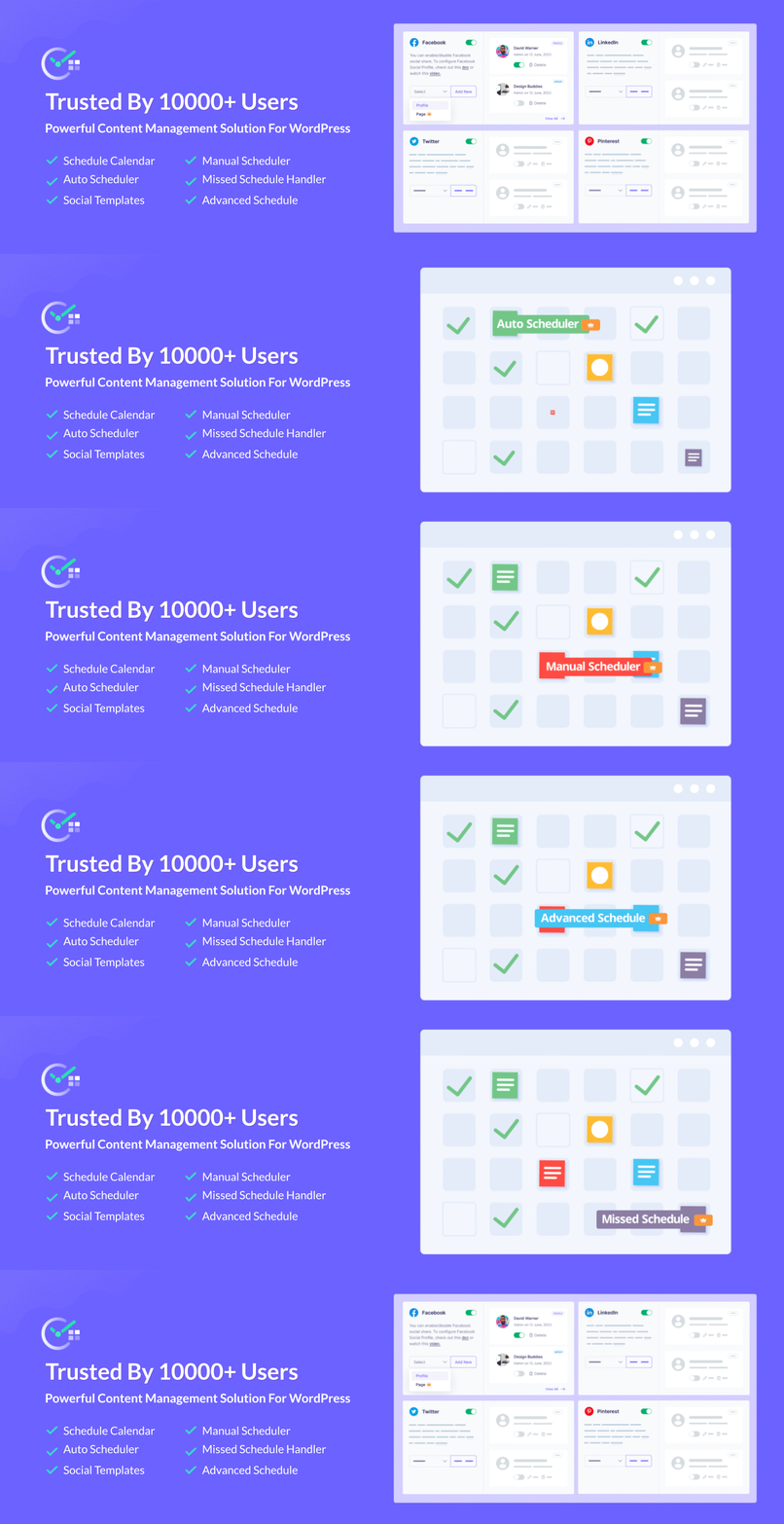
For anyone running a website on WordPress, the SchedulePress plugin offers an unbeatable advantage by integrating social media scheduling directly into your content creation workflow. Instead of exporting content to a third-party tool, this plugin lets you write, schedule and plan social promotion from a single dashboard. This native integration makes it one of the best free social media schedulers available for WordPress.
You can integrate 7 social media platforms (including Facebook, LinkedIn, X, Pinterest) with SchedulePress and connect pages and accounts to engage with your followers. You can also use default social templates or custom social templates to make the process automatic and brand-friendly.
Key Features & Use Cases
- Direct WordPress Integration: Schedule and share without ever leaving your site’s dashboard.
- Generous Free Platform Support: Connect and post to Facebook, X (Twitter), LinkedIn, Pinterest, and more at no cost.
- Visual Editorial Calendar: The free version includes a drag-and-drop calendar to visualize your entire content scheduling.
- Missed Schedule Handler: A crucial feature that automatically publishes any post that WordPress fails to publish on time, preventing content gaps.
Zoho Social: A Scalable Free Scheduler for Growing Brands
Zoho Social stands out as a robust, business-oriented tool that offers a truly free-forever plan, making it an excellent starting point for solo entrepreneurs and small businesses. Unlike many competitors that offer limited-time trials, Zoho’s free edition provides a solid foundation for scheduling and publishing content without requiring a credit card. It is part of the larger Zoho ecosystem, offering a clear upgrade path for businesses that may later need integrated CRM or customer support tools.
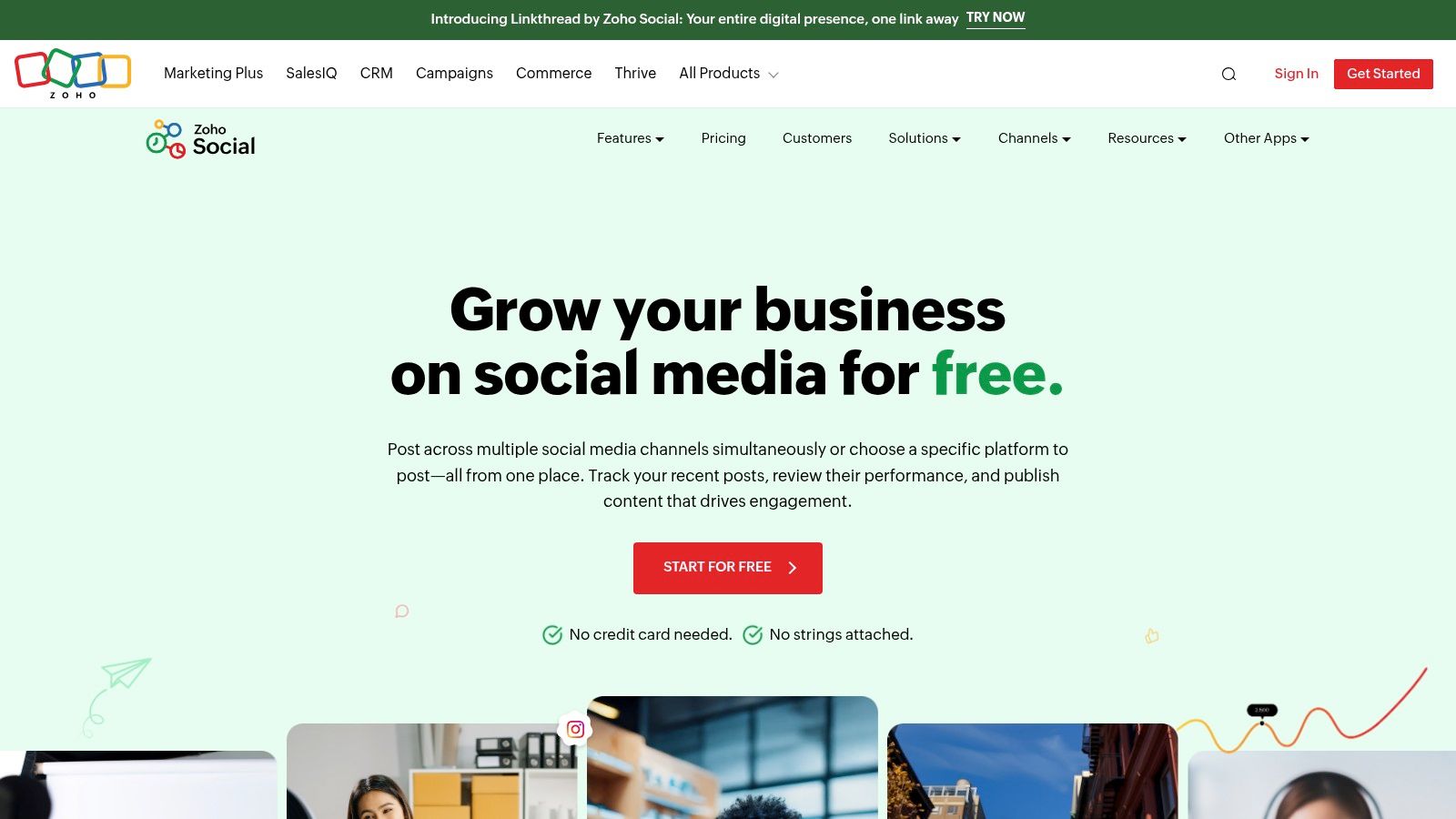
The free plan covers core publishing needs across several major networks, including Facebook, X (formerly Twitter), LinkedIn, and Instagram. While tools like SchedulePress are unmatched for WordPress integration, Zoho Social is a strong standalone option for users who manage social media separately.
Key Features & Use Case
- Free Plan: Use the core scheduling features indefinitely for one brand and one user.
- Broad Platform Support: The free plan supports Facebook, X (Twitter), LinkedIn, and Instagram.
- No Monthly Post Limit: Unlike some free tools, Zoho does not cap how many posts you can schedule per month.
- Mobile Apps: Manage social media presence from anywhere with their dedicated iOS and Android apps.
Metricool: The Best Free Scheduler for Analytics-Focused Creators
Metricool distinguishes itself by bundling social media scheduling with powerful analytics and competitor tracking, making it an excellent all-in-one tool for solo creators and small businesses. Its free plan is designed for a single brand, allowing users to schedule content, analyze performance and monitor their niche from one unified dashboard. This combination of publishing and reporting makes it one of the best free social media schedulers for those who want to make data-driven decisions without a budget.
The platform’s free offering supports a wide range of networks, including Instagram, Facebook, TikTok, Pinterest, YouTube and Google Business Profile. The visual planner and “best times to post” feature help optimize your content calendar.
Key Features & Use Case
- All-in-One Dashboard: Combines scheduling, analytics and an ad manager in a single interface.
- Generous Free Platform Support: Connect one of each: Instagram, Facebook, TikTok, YouTube, Pinterest and more.
- Actionable Analytics: The free plan includes a 3-month data history to track follower growth, demographics and post performance.
- Content Planner with “Best Times”: A visual calendar that suggests the optimal times to post for maximum engagement based on your audience activity.
Publer: The Best Free Scheduler for Cross-Platform Flexibility
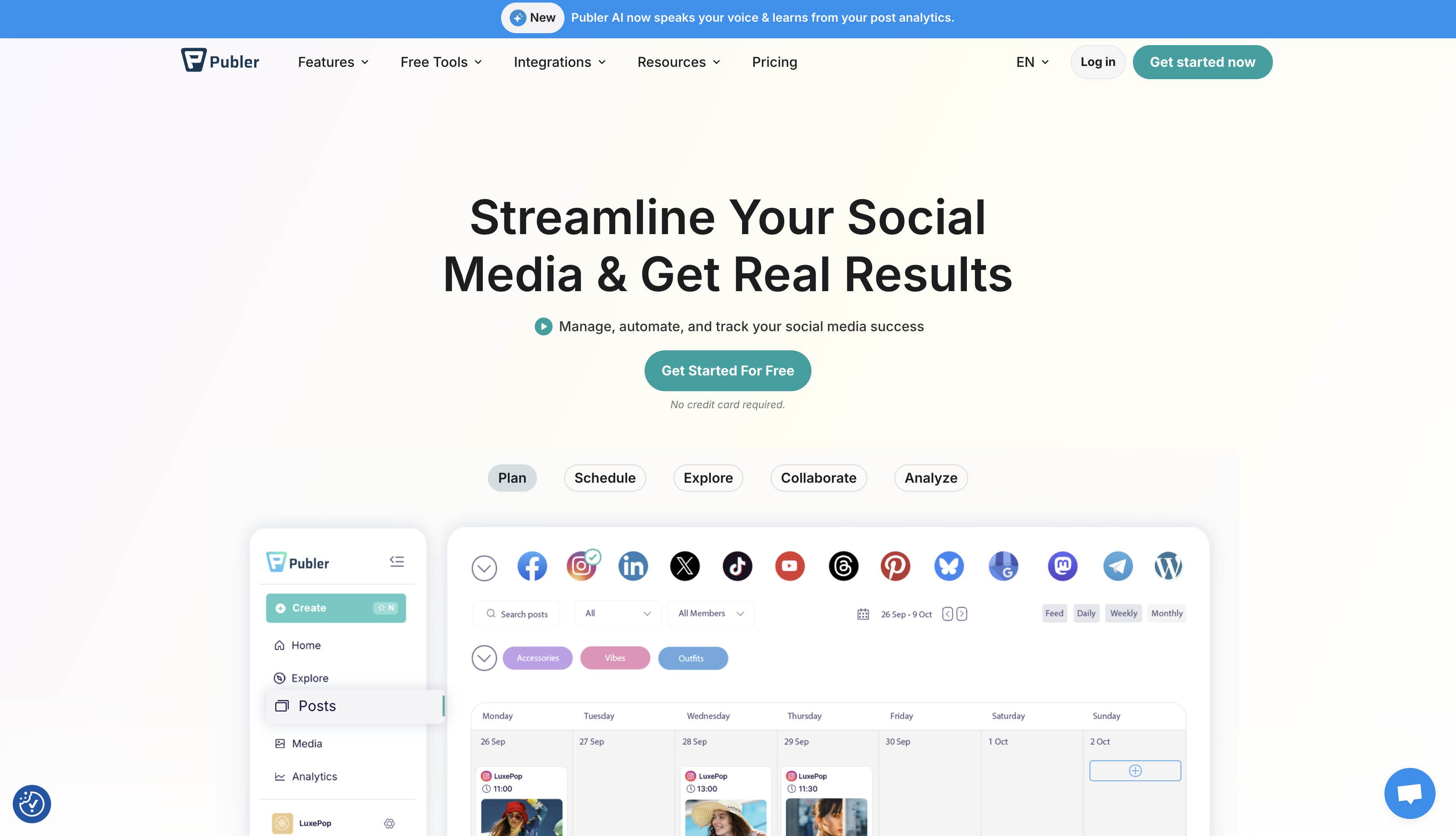
Publer stands out as one of the best free social media schedulers with its remarkably generous free tier and clean, user-friendly interface. It offers a practical solution for creators and small businesses needing to manage a few key social profiles without a budget. Unlike many competitors that heavily restrict their free plans, Publer provides a genuinely useful set of tools that streamline content scheduling and multi-platform posting.
Key Features & Use Case
- Generous Free Account Limit: Connect up to 3 social accounts from a wide range of platforms.
- Valuable Free Tools: Includes a link-in-bio builder, URL shorteners and UTM tag support.
- Clean and Intuitive UI: The interface is easy to navigate, making scheduling and content management straightforward.
- Flexible Post Queue: Allows up to 10 scheduled posts per account, offering a solid buffer for content planning.
Planable: Social Media Scheduler for Team Collaboration
Planable excels in a specific niche: content collaboration and approval workflows. While most schedulers focus on publishing, Planable is built for teams, agencies and freelancers who need clients or stakeholders to review and sign off on content before it goes live. Its user experience is designed around feedback, making it one of the best free social media schedulers for collaborative environments.
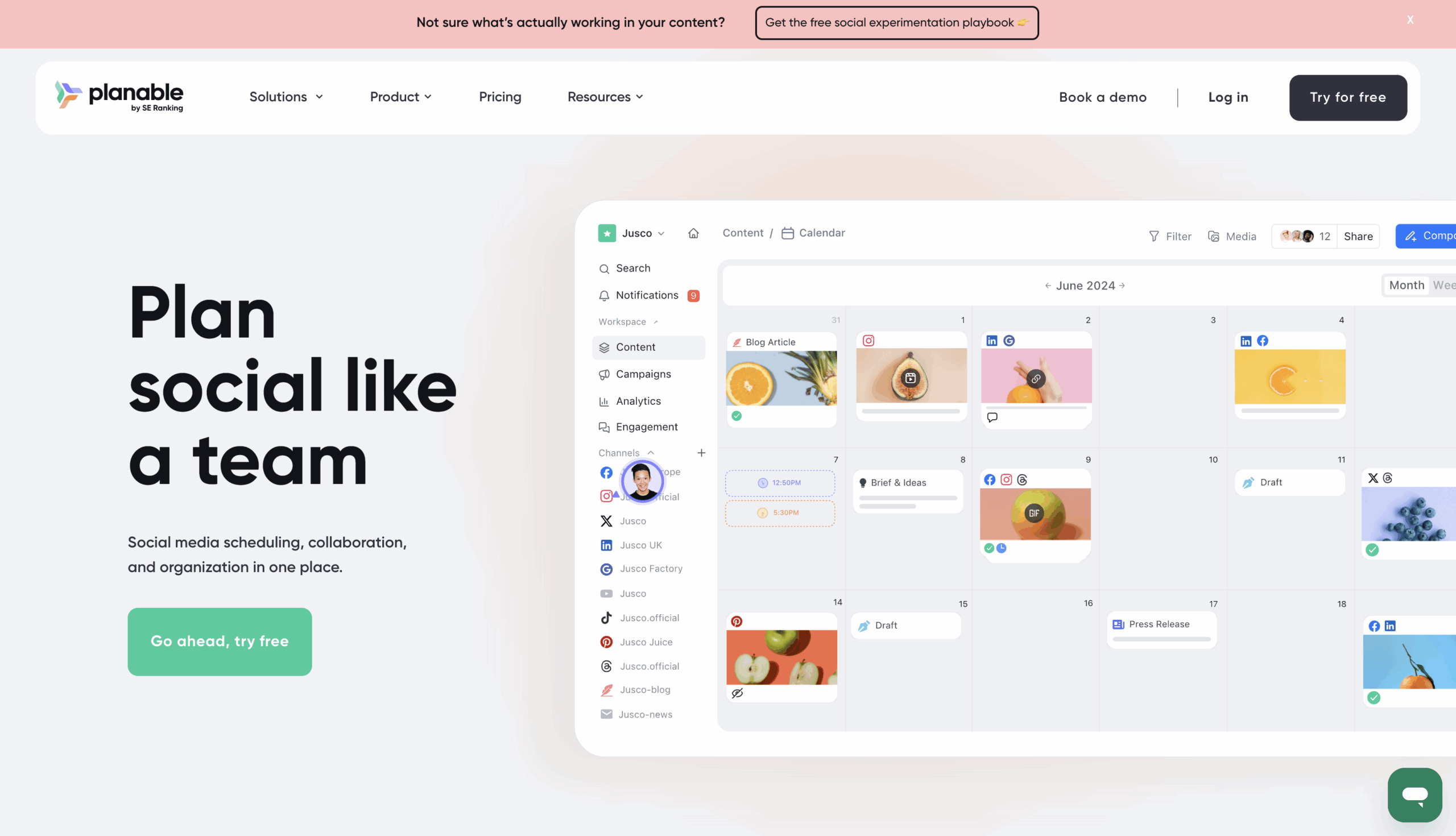
The free plan provides a generous glimpse into its powerful, enterprise-grade features. Unlike other tools that restrict collaboration, Planable’s free tier allows unlimited users and workspaces. This lets you experience its core strength: a visual, multi-layered approval system where teammates can comment directly on post previews, ensuring every piece of content is perfect before scheduling.
Key Features & Use Case
- Enterprise-Grade Collaboration: Invite unlimited users to workspaces for seamless review and feedback.
- Pixel-Perfect Previews: See exactly how your posts will look on Facebook, Instagram, X (Twitter) and more.
- Multi-Level Approval Workflows: Set up internal, client or stakeholder approval gates to ensure compliance.
- Multiple Viewing Options: Organize your content in a calendar, feed, grid or list view to fit your workflow.
Meta Business Suite (Facebook + Instagram)
For businesses heavily focused on Meta’s ecosystem, the Meta Business Suite is an indispensable and completely free social media scheduler. As the official, native tool for Facebook and Instagram, it provides the most direct and reliable way to manage and schedule content for these platforms. It consolidates messages, comments and notifications, allowing you to engage with your audience without leaving the environment.
The core of the Business Suite is its “Planner,” a visual calendar where you can schedule posts, Stories, and Reels for both Facebook Pages and Instagram accounts. It offers optimal posting time suggestions based on your audience’s activity, helping maximize reach. Because it is a native tool, you get seamless access to all content formats and features.
Key Features & Use Case
- Native Scheduling: Post directly to Facebook Pages and Instagram accounts, including Stories and Reels.
- Unified Inbox: Manage comments and direct messages from both platforms in one place.
- Content Planner: A visual calendar to draft, schedule, and reschedule posts with recommended posting times.
- Basic Insights: Access fundamental analytics on reach, engagement, and audience demographics.
How to Automate Social Media Posts in WordPress using SchedulePress?
SchedulePress is not just another scheduler. It is designed specifically for WordPress users who want control, clarity and automation in one place. Instead of treating social scheduling as a separate task, SchedulePress turns it into a natural extension of your content workflow. That is why many users consider it among the best free social media schedulers for WordPress-based sites.
Follow the step-by-step guide below to learn how to streamline social sharing across multiple platforms in WordPress using the custom social templates of SchedulePress.
Step 1: Connect Social Profiles to SchedulePress
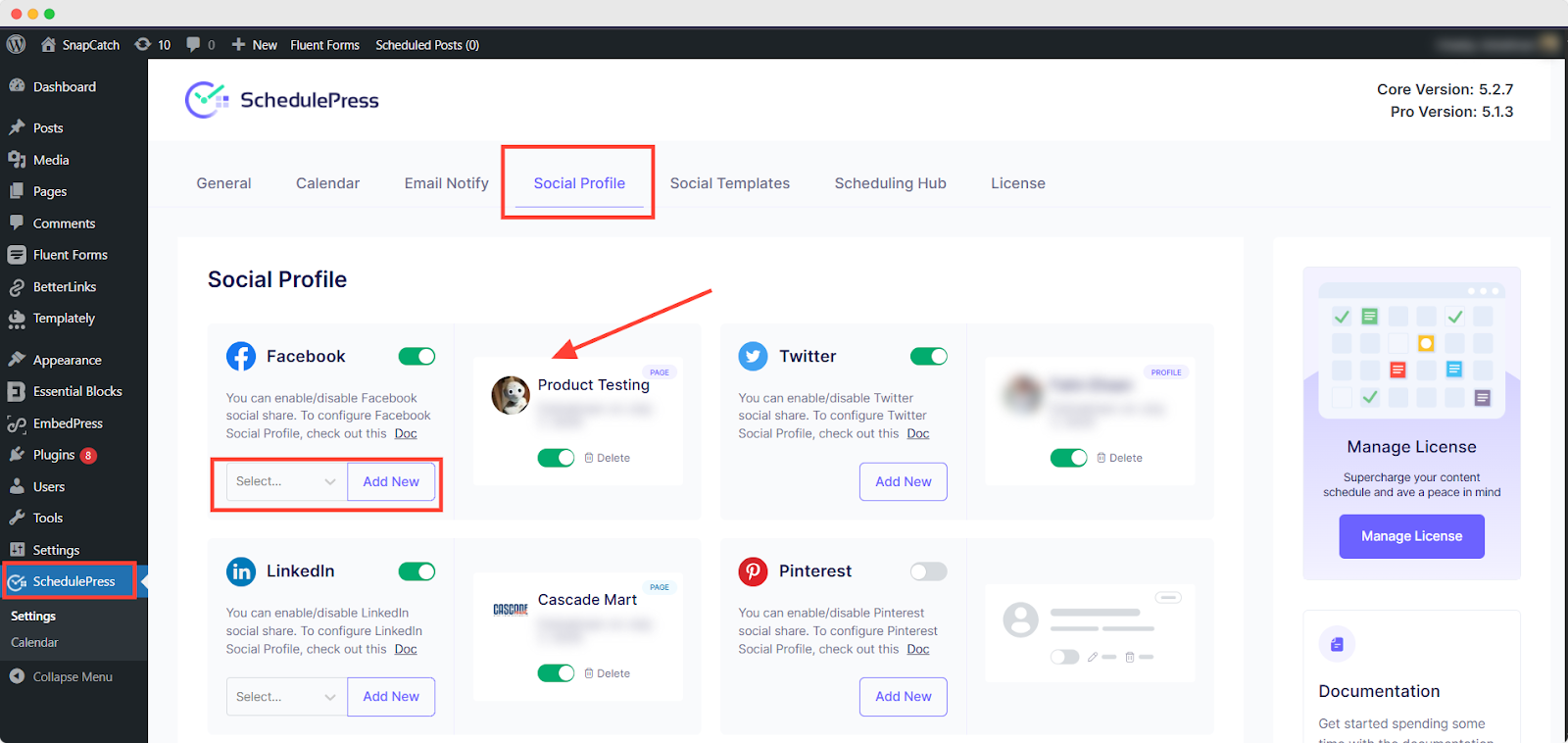
First, from your WordPress dashboard, navigate to ‘SchedulePress’ and go to the ‘Social Profile’ tab. If you do not have the platforms connected, you can do that by following a few easy steps as guided in our documentation.
Step 2: Check Default Social Templates
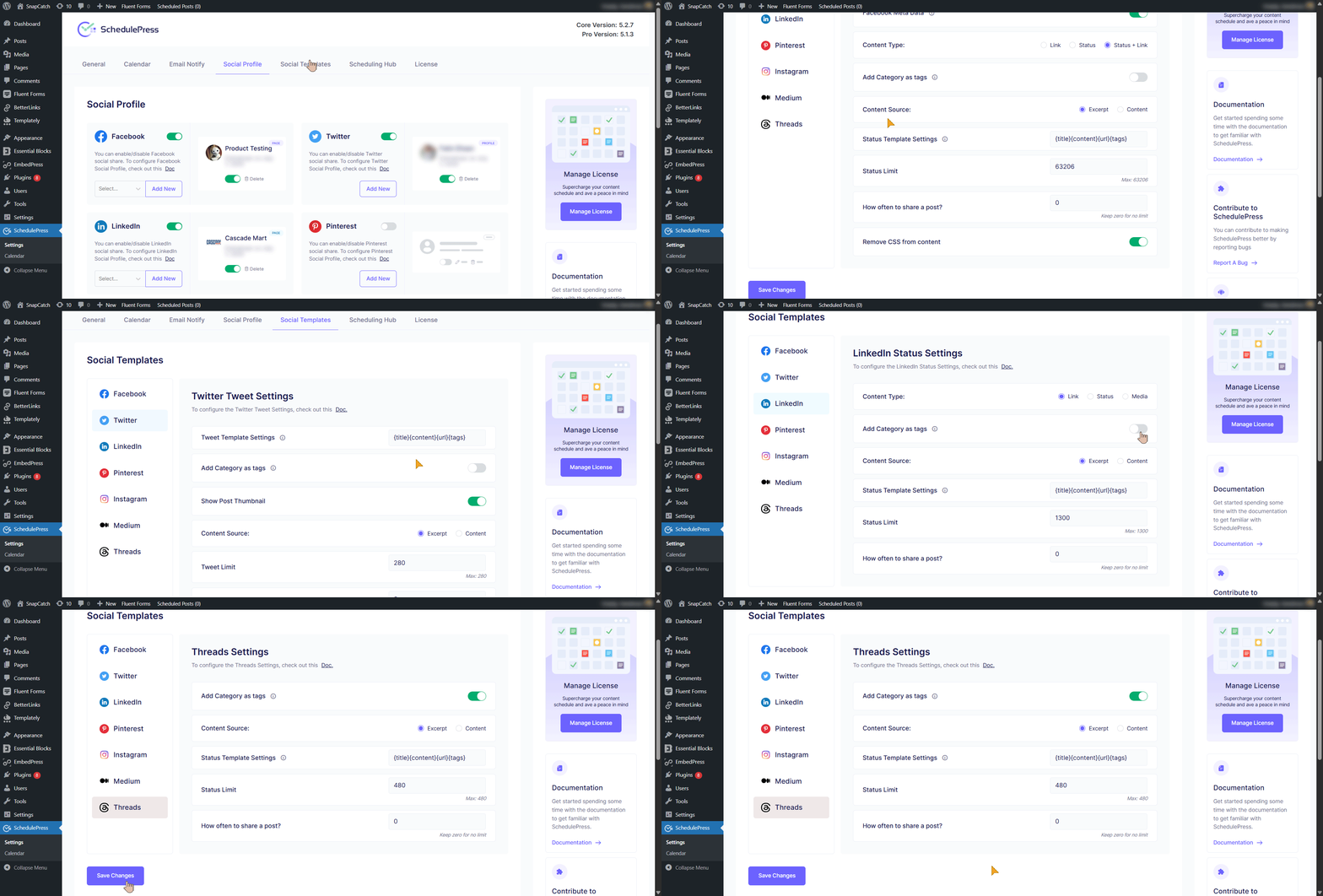
Once your preferred profiles are connected, go to ‘SchedulePress’ then navigate to ‘Social Templates’. If you do not want to customize the social posts using custom social templates in the editor, these default templates will be used for each social share while publishing or scheduling a post.
Step 3: Enable Custom Social Templates
Now, open the post you want to share on social media using custom templates in the editor. Scroll down the right-hand sidebar until you find the ‘Custom Social Template’ section under SchedulePress options.
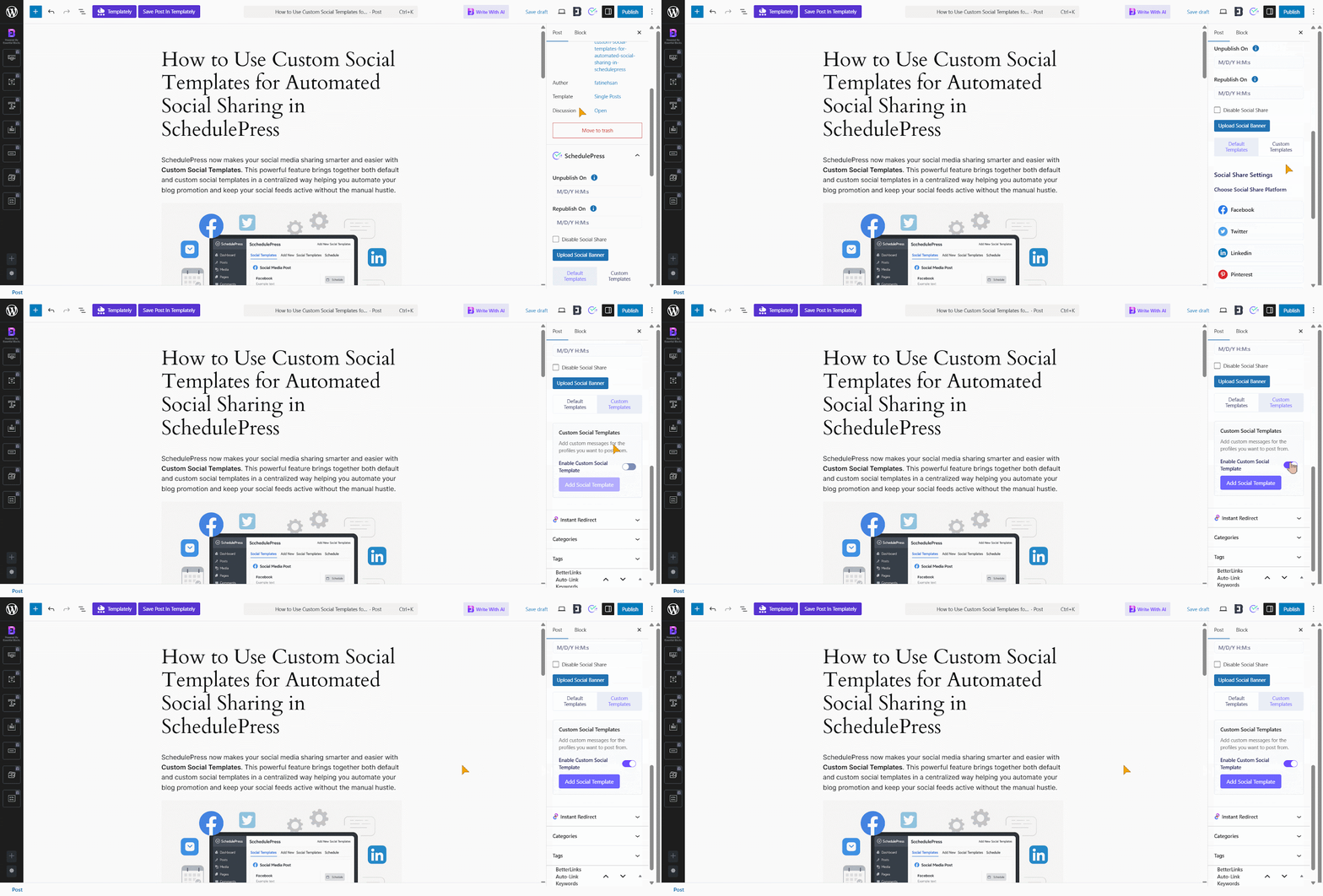
Now, enable the ‘Custom Social Template’ option. However, if you have disabled the Social Share from above with the checkbox, this section will not appear.
Step 4: Add Your Custom Social Messages
Once you enable the Custom Social Template option, click the ‘Add Social Template’ button to start customizing. A pop-up will appear showing your connected social platforms, each with a default message.
If you have multiple profiles under a platform, choose the one you want from the dropdown. You can write a custom message for each platform or create one message and apply it as a global template using the swap enable/disable button.
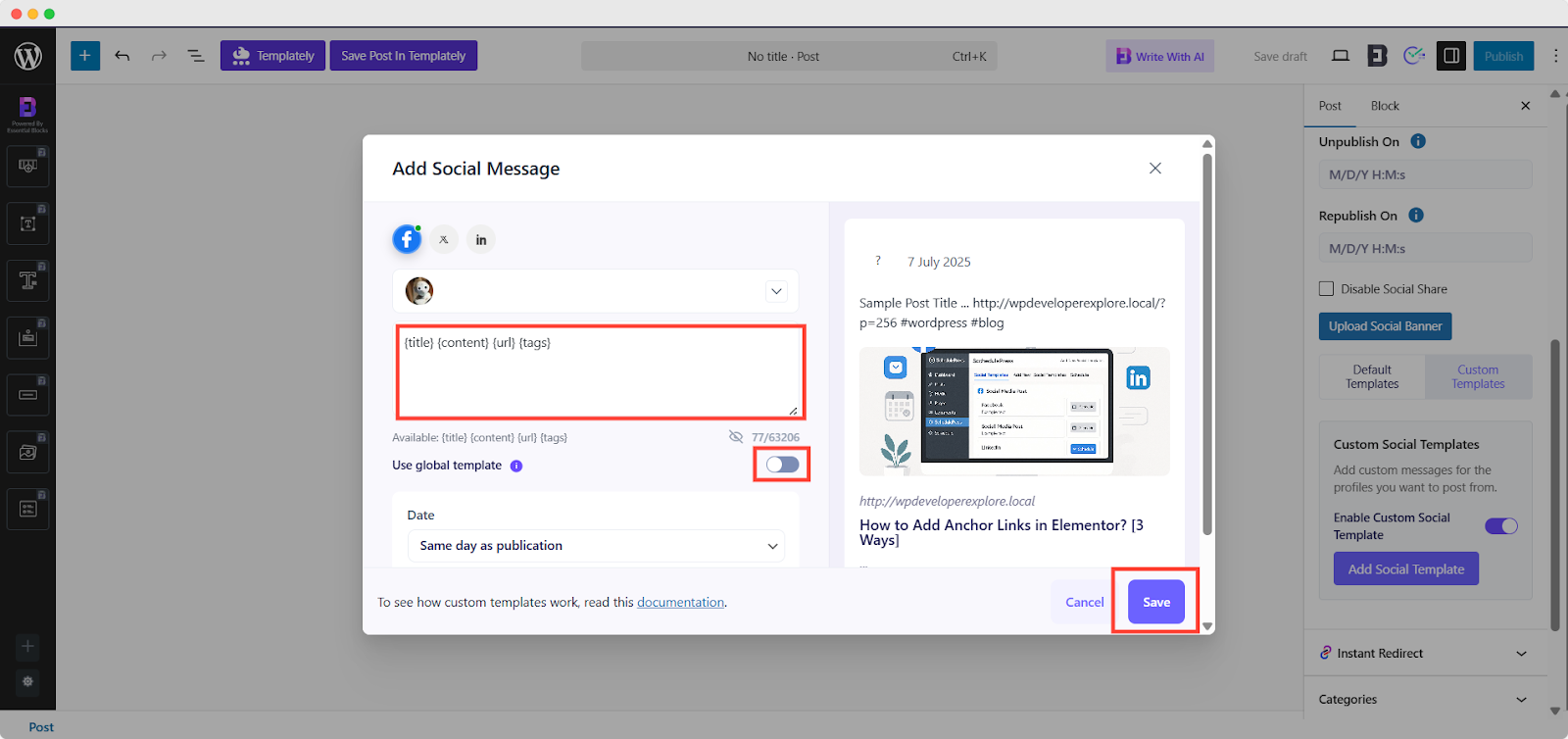
Once you choose a global template, it will be applied to all connected platforms. In this case, you cannot customize messages for other platforms.
Step 5: Save And Share Your Post
After everything is set up, choose your preferred date and time for the post to be shared on the selected platforms. There are multiple time options to choose from, whether the same as the content publish time or any other time. Now, once everything is ready, hit the ‘Save’ button to save these social messages and share at the preferred time.
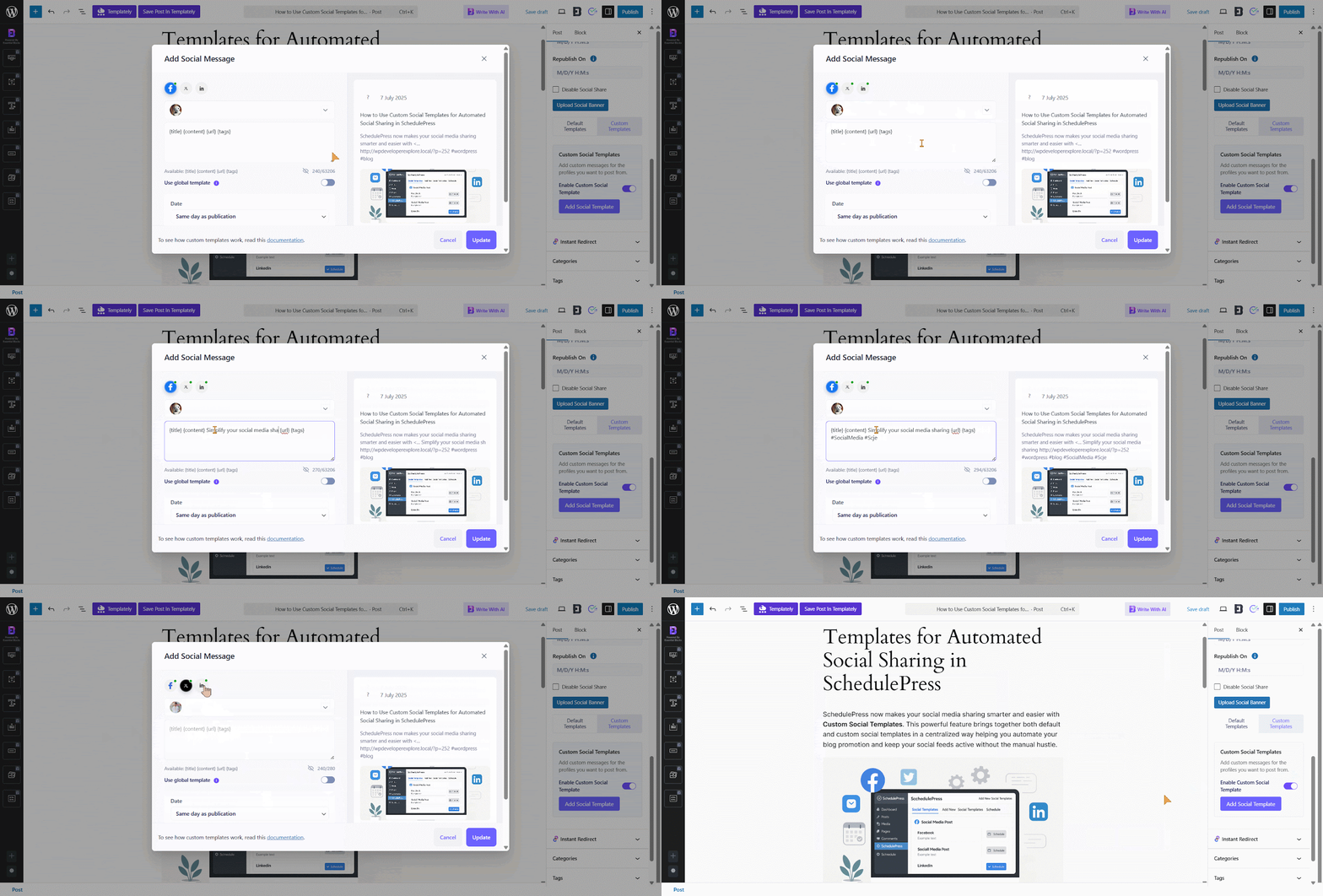
However, you can return to the post at any time before it is published to update or modify the social message if needed.
Final Outcome
Once your social templates are saved, your social messages posted on a specific platform at your preferred time will look like this. That is how easily you can streamline social sharing for WordPress posts using SchedulePress custom social templates.
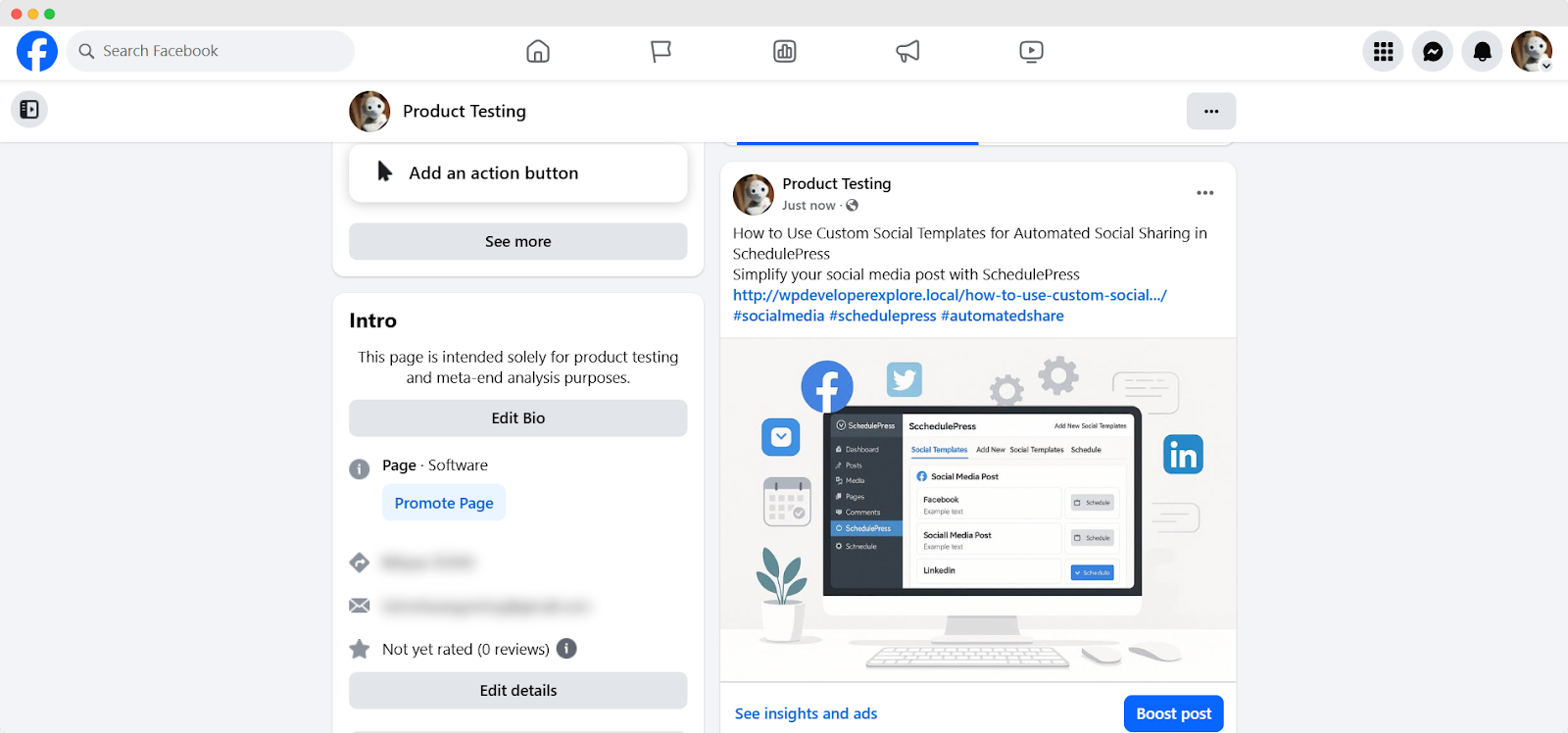
Automating your social media sharing with SchedulePress saves time and keeps your content active across platforms. Custom Social Templates make it easy to create engaging, platform-specific posts that align with your brand. Whether you are a blogger, marketer or business owner, WordPress Auto Social Share simplifies your workflow and boosts your online reach. Start using SchedulePress today to take control of your social media strategy.
Choose from the Best Free Social Media Schedulers
Free scheduling tools are not just about saving money. They are about protecting your time, focus and creative energy. The best free social media schedulers help your social media strategy, where content is planned, shared and measured as part of a larger system. When your scheduler supports your workflow instead of interrupting it, consistency becomes effortless rather than forced.
For WordPress users, that distinction matters even more. A scheduler that lives inside your content environment reduces friction and keeps strategy and execution aligned. When planning, publishing and promotion work together, your content performs better with less manual effort. Choosing the right free scheduler is not about features alone. It is about choosing a tool that grows with how you actually create content.
Now that you know how to schedule a section in Elementor, what will you schedule next? Let us know in our Facebook community. You can subscribe to our blogs for valuable tutorials, guides, knowledge, tips, and the latest WordPress updates.